Interaction Traits
Traits are gameplay tags that modify how an interaction behaves at runtime. They can trigger automatic behaviors, influence animation choices, or synchronize with custom gameplay logic defined in your project.
Each interaction slot can define its own traits through the Runtime Tags list. These traits are evaluated by the system whenever the interaction starts or ends.
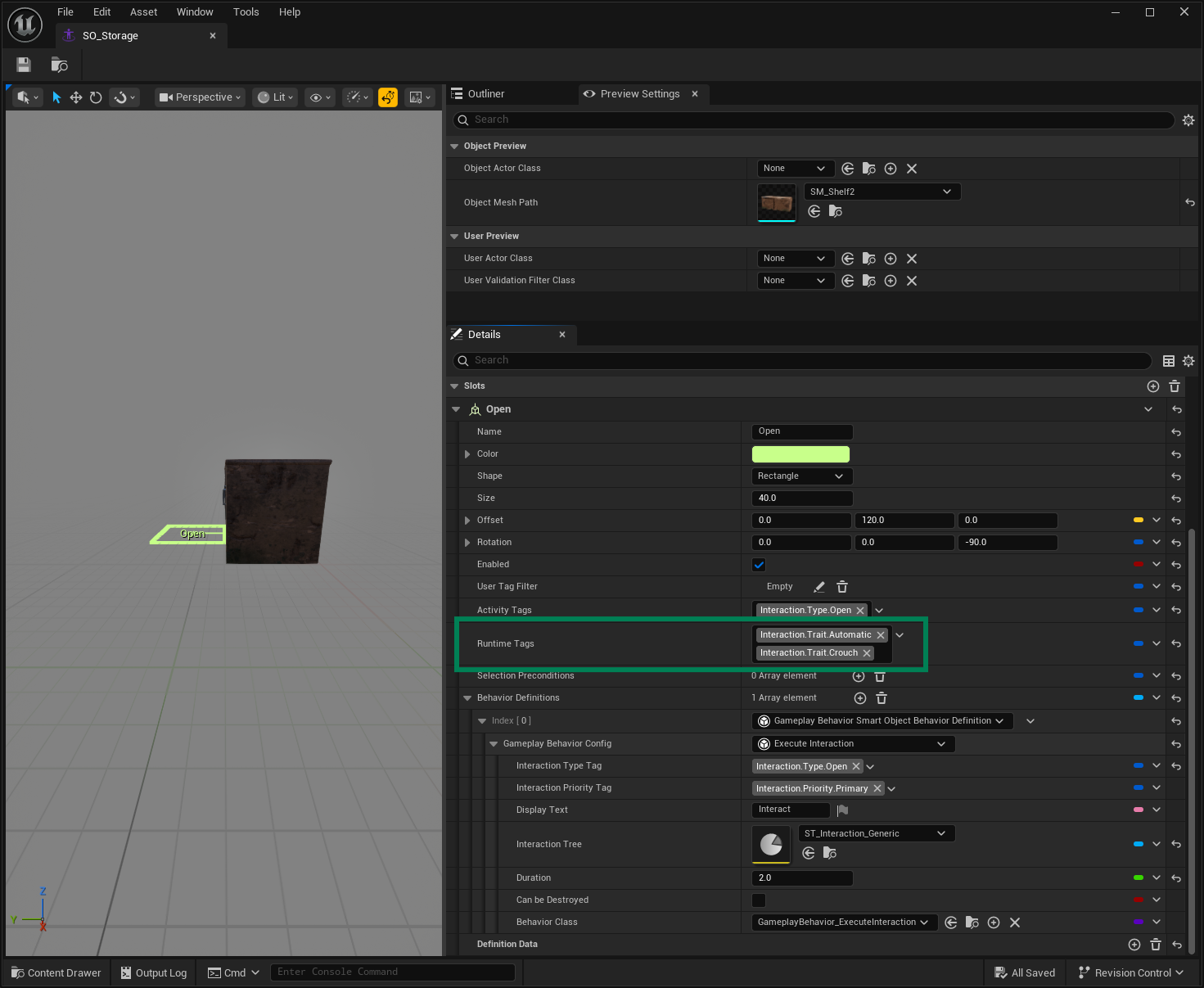
All traits are available through the Interaction Summary struct, which exposes the active traits for the current interaction. You can use these tags to drive conditional logic, UI changes, or gameplay events.
Default Traits
By default, the Interaction System provides a few built-in traits that directly affect interaction flow.
Trait: Automatic
Interaction.Trait.Automatic
When present, the interaction will start automatically as soon as the target receives focus. Any slot marked as automatic will trigger its interaction immediately, without requiring an explicit input or confirmation from the player.
Trait: Disposable
Interaction.Trait.Disposable
When present, the system will automatically unregister the target once the interaction ends. This is useful for temporary or one-shot interactions (for example, consumable items or destructible objects).
Custom Traits
You can define additional traits to support custom logic or animation contexts. For example:
Since these tags are transferred to the Animation Chooser, add a tag like
Interaction.Trait.Crouchto inform the Animation System that the item is short, prompting a crouch animation.Use a custom trait like
Interaction.Trait.SpecialEventto synchronize with gameplay-specific blueprints or C++ logic.