Shared Inventories
Shared inventories are inventories owned by a world actor (e.g., a storage chest, stash, vendor, guild bank) that can be viewed and manipulated by multiple players at the same time.
Unlike the player's personal inventory, a shared inventory's data and operations must replicate to all relevant clients and be executed authoritatively on the server. Use a shared inventory when:
More than one player should be able to see and/or modify the same set of items.
The container "lives in the world" (placed actor, persistent stash, town vendor), not on a specific player.
You need synchronized state across clients (e.g., one player moves an item and everyone else's UI updates).
However, this approach is not ideal for single-user storage scenarios. If you only need a "storage box" for a single player (whether playing solo or in multiplayer), it's often simpler and more performant to:
Create a hidden container in that player's own inventory
Open a UI that represents the world "chest", while actually reading/writing the player's hidden container.
This avoids world-ownership, cross-ownership RPCs, and multi-user synchronization. It's the recommended pattern for per-player lockers, "mailbox" style storage, or quest caches that do not need to be shared.
Main Concepts
To support shared containers, Ninja Inventory includes the following building blocks:
World-owned Inventory Managers: Place an Inventory Manager on your chest/actor. Its items replicate to all relevant clients.
Networked Fragment Operations: Operations like move, merge and drop are executed via fragment operations that route to the server.
Transfer Pipeline: Cross-inventory transfers (e.g., player to/from chest) use a server-authoritative flow.
Network Proxy (per-player): A lightweight, server-spawned, owner-only actor that lets a client invoke server operations even when the target inventory isn't locally owned.
Session Handshake (Authorization): Before any external inventory can act on a shared inventory, it must open a session.
Technical Walkthrough
Shared Inventory Manager Component
UNinjaInventorySharedManagerComponent is a specialized Inventory Manager that replicates its containers/items to all clients, not just the owner (like the default Inventory Manager).
You can use this component just like you would use the traditional Inventory Manager, adding it to any actor. Make sure that the owning actor is set to replicate.
Shared Storage Actor
ANinjaInventorySharedStorageActor is a ready-to-use world actor that:
Embeds a
UNinjaInventorySharedManagerComponent.Implements
InventorySystemInterface, providing the shared inventory component.Exposes helper methods to check, open, and close a session with a requester.
Plays nicely with your per-player RPC network proxy and fragment operations.
Using this actor is optional, but since it does not have any gameplay aspects (like meshes or collisions), its use is highly recommended, since it already provides important functions to establish sessions between inventories.
These functions are analogous to the ones exposed by the Inventory Manager.
Function | Description |
|---|---|
| Checks if the provided actor is authorized to interact with the shared inventory. |
| Establishes an authorization session between the actor's and the shared inventory. |
| Closes the authorization session between the actor's and the shared inventory. |
These functions can be invoked when interaction becomes imminent, such as a player entering a chest's collider, or even triggering an "Open" interaction.
Creating a Shared Inventory Actor
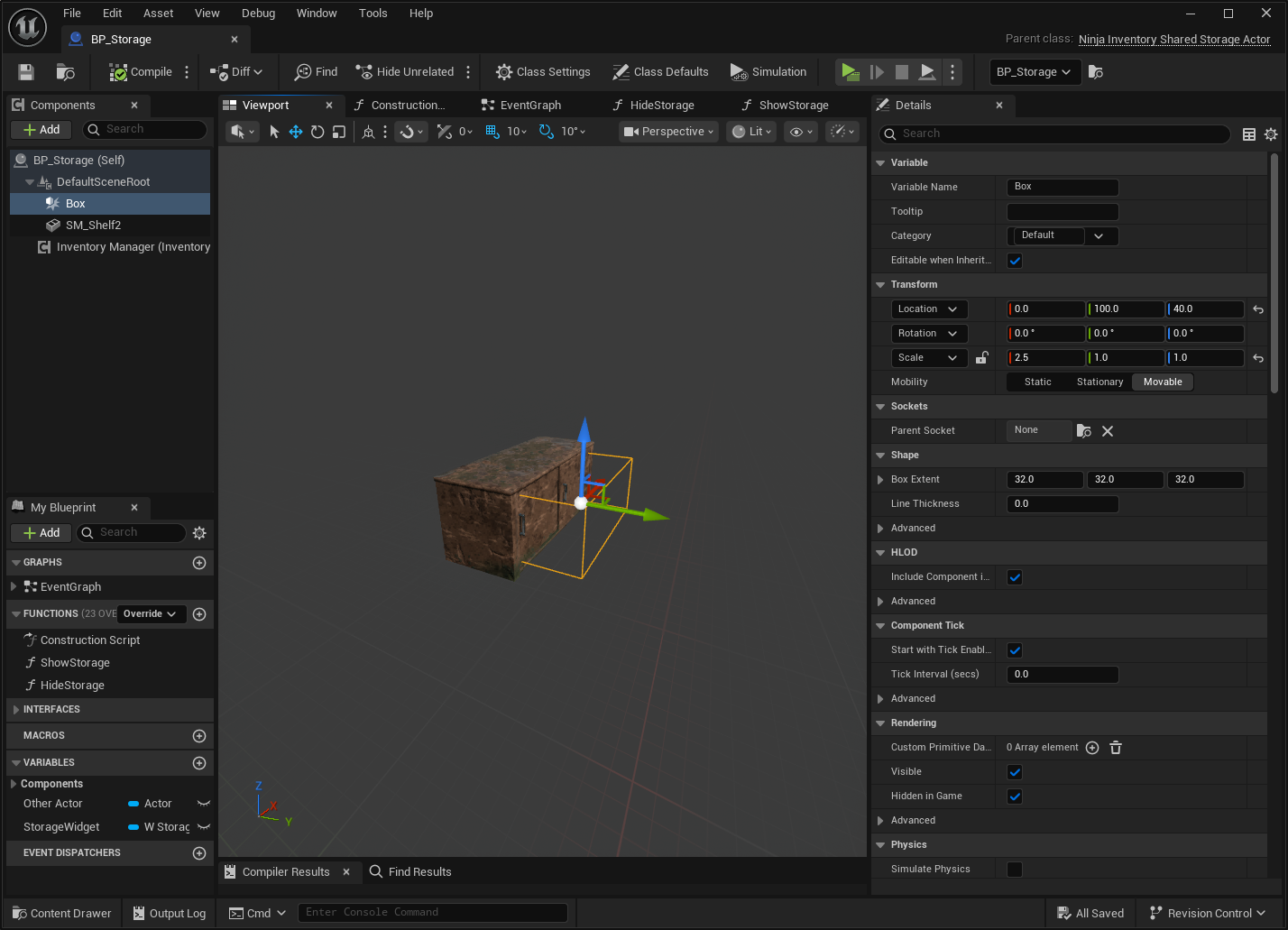
Create a new actor, using
ANinjaInventorySharedStorageActoras the base class.Add a Static Mesh to represent this actor in the world, optionally setting it as the root component.
Add a Box Collision and place it so it can track players overlapping with the actor.
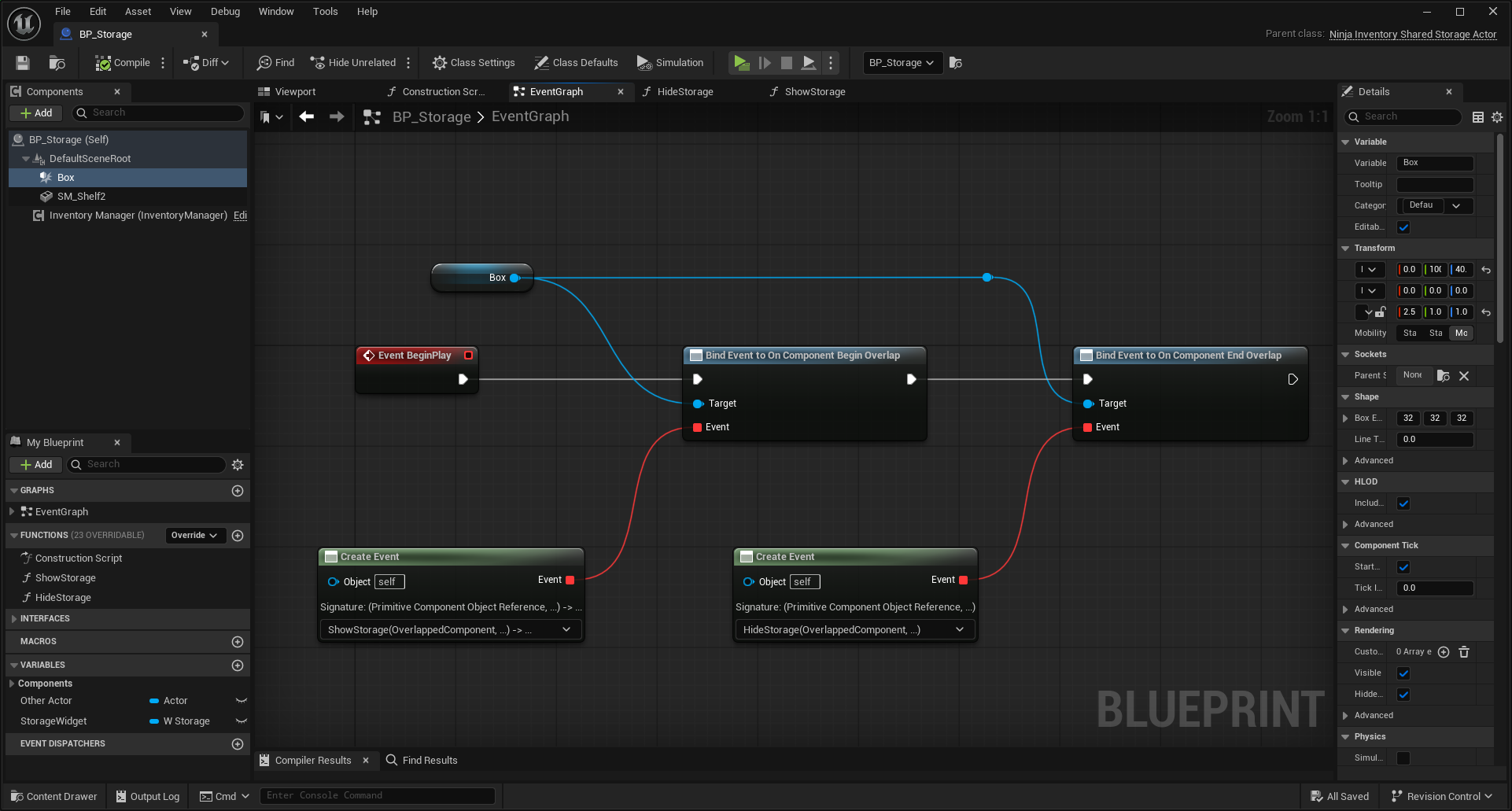
Open the Event Graph and create/bind two functions for the Overlap Begin and Overlap End events.
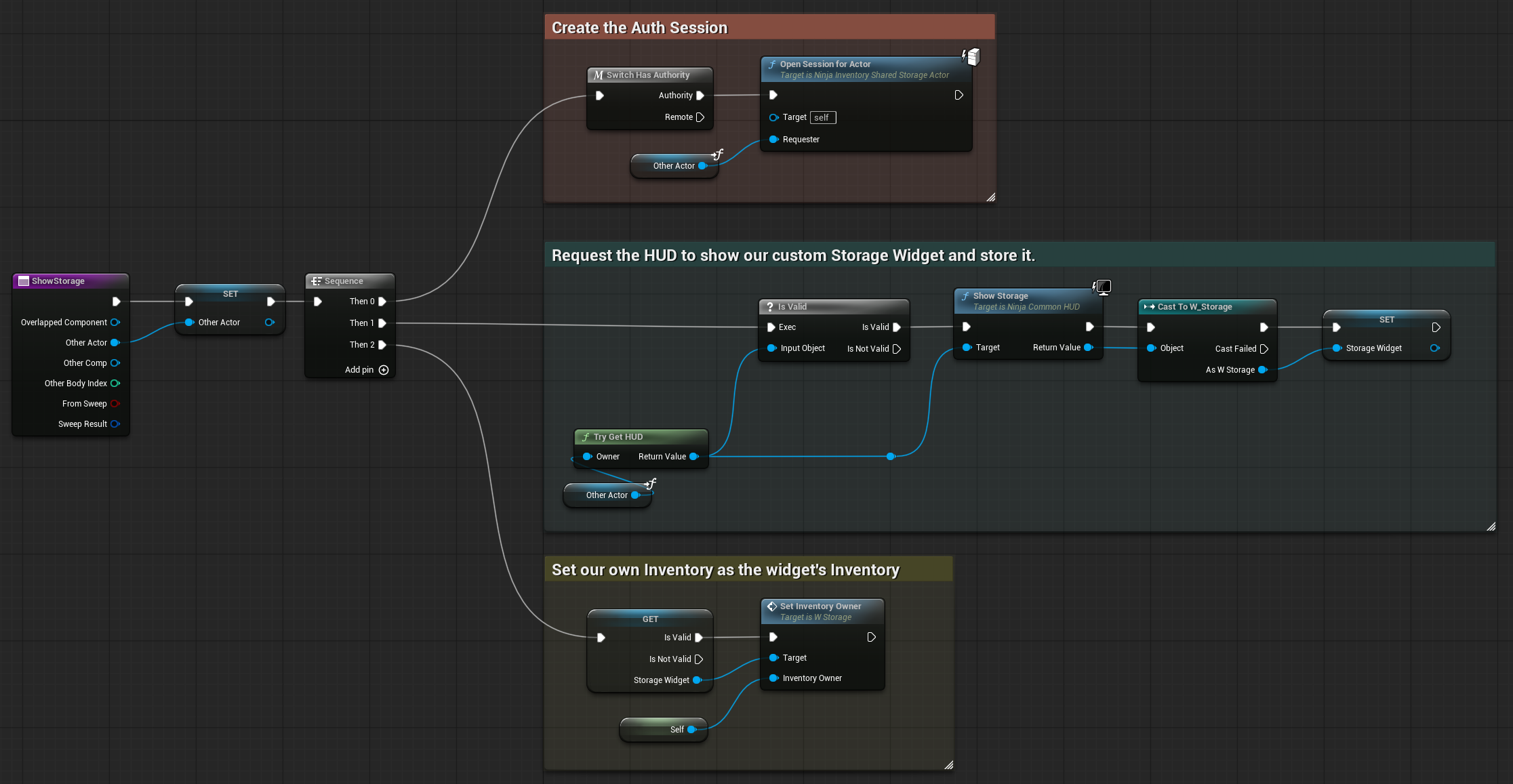
In the Overlap Begin function, open an Auth Session and perform any UI-relevant steps, such as opening your Storage Widget on the player HUD and setting the shared actor's Inventory Manager, so the inventory is displayed.
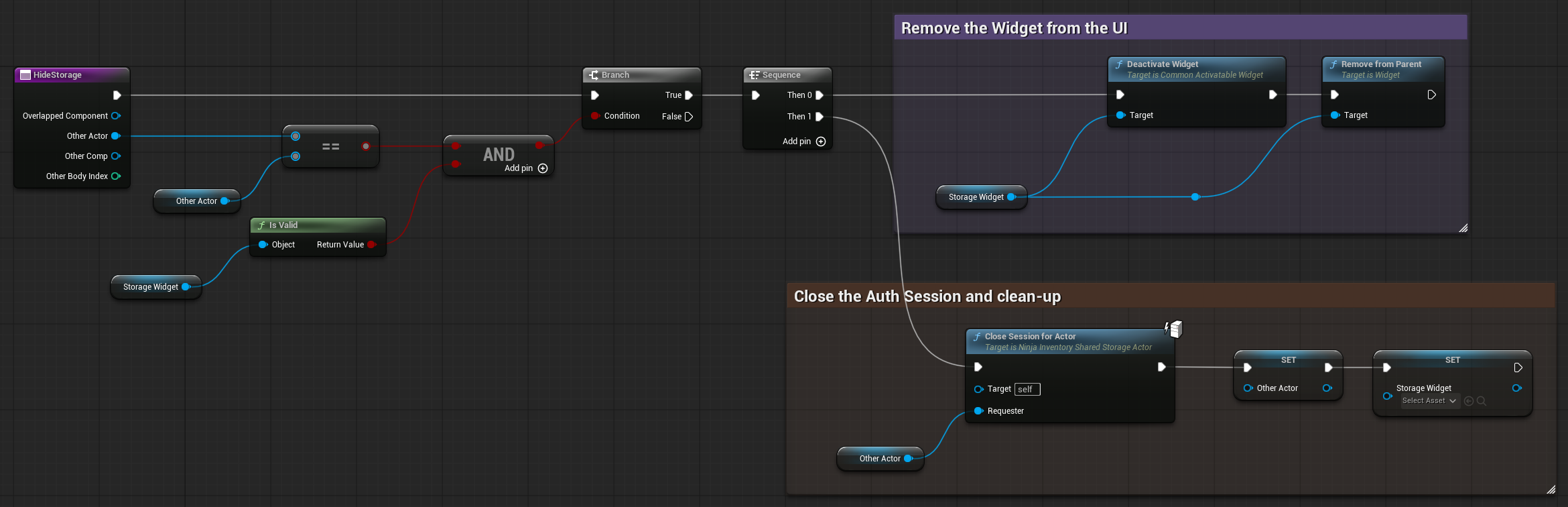
In the Overlap End function, close the Auth Session and remove any UI elements that you displayed during the Begin Overlap. Make sure to reset any support variables as well.
Network Proxy
ANinjaInventoryNetworkProxy is a small, per-player RPC bridge that lets a client perform server-authoritative inventory actions even when the target inventory isn't locally owned (e.g., a world chest).
It's spawned on the server, typically when the player's inventory manager finishes initializing, owned by that player's PlayerController, and marked owner-only relevant.
If necessary, you can create your own proxy and override it in the Inventory Manager's default properties. But for common, out-of-the-box inventory operations, you shouldn't need to worry about this class.