Configuring Dynamic Behaviors
Both Behavior Trees and State Trees support Dynamic Assets, and Ninja Bot simplifies their usage by providing a dedicated area in the Bot Setup to catalog and manage these behaviors.
This is especially useful when you want to define a common base structure (for example, Combat, Roam, and Idle), while allowing specific behaviors to vary across different AI archetypes. A zombie may roam between random locations, whereas a guard may patrol predefined routes, all while sharing the same high-level decision flow.
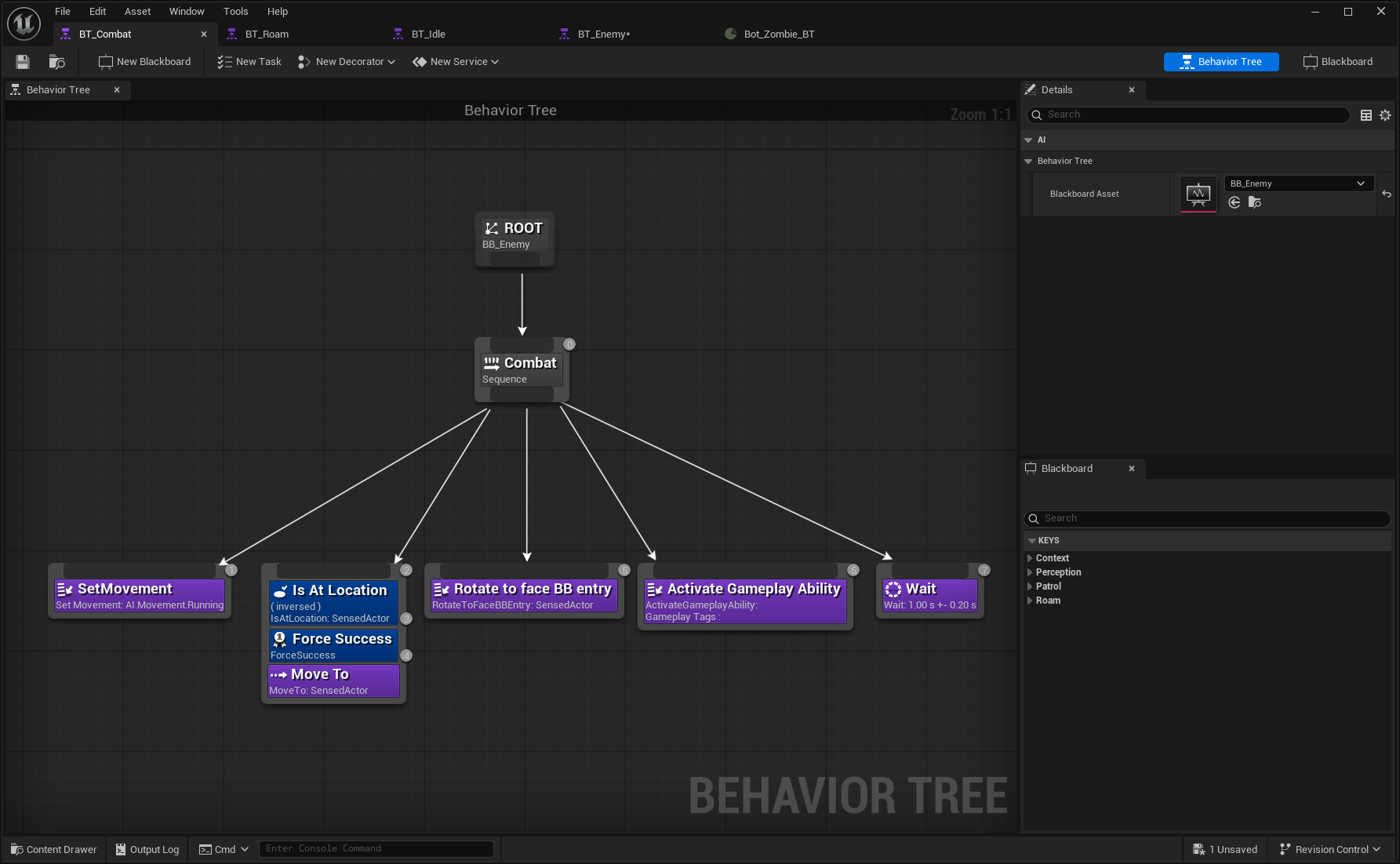
Create the Combat Behavior Tree
Duplicate your Base Behavior Tree and name the new asset
BT_Combat.Remove everything except the Combat branch. Remove any Services and Decorators from this branch as well.
Create the Roam Behavior Tree
Duplicate your Base Behavior Tree and name the new asset
BT_Roam.Remove everything except the Roam branch. Remove any Services and Decorators from this branch as well.

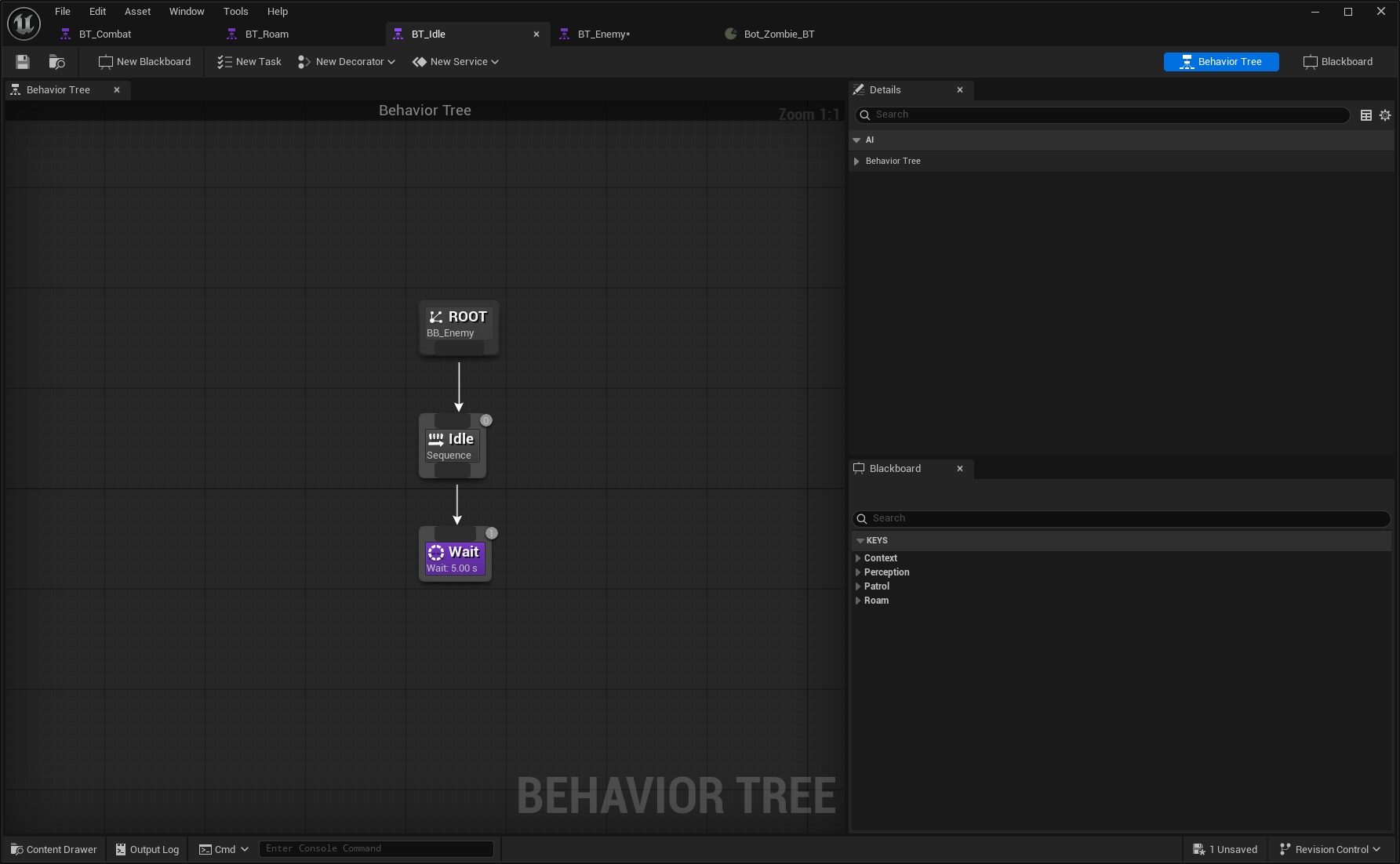
Create the Idle Behavior Tree
Duplicate your Base Behavior Tree and name the new asset
BT_Idle.Remove everything except the Idle branch. Remove any Services and Decorators from this branch as well.
Update the Base Behavior Tree
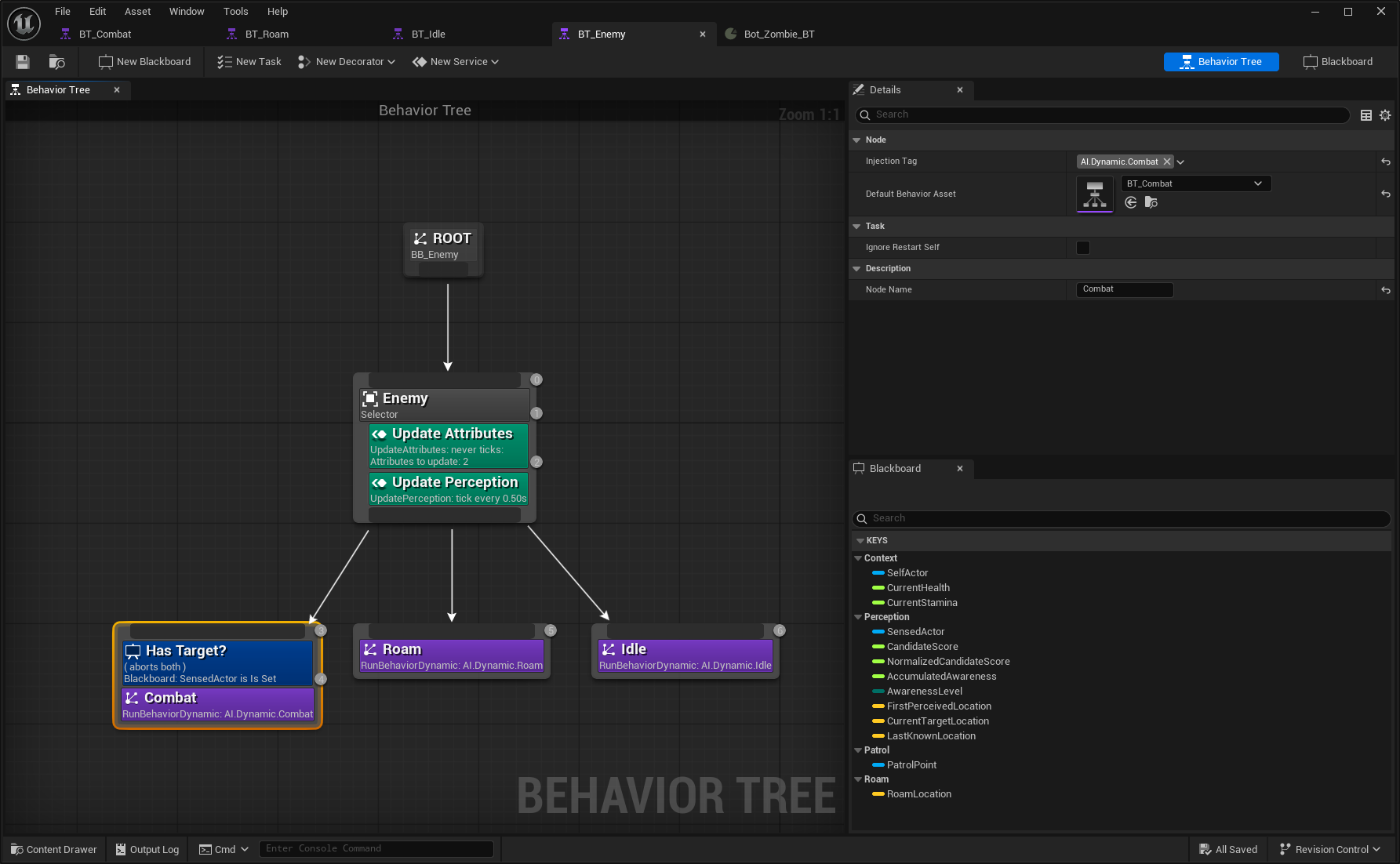
Return to the Base Behavior Tree and add three Run Behavior Dynamic tasks.
For each task, assign a Behavior Tag:
AI.Dynamic.Combat,AI.Dynamic.Patrol, andAI.Dynamic.Idle. Also assign the corresponding Behavior Tree asset to each task.Transfer the Has Target? decorator from the original Combat branch to the new dynamic Combat task. Connect the new tasks accordingly and remove the original static branches.
Update the Bot Setup for the Behavior Tree
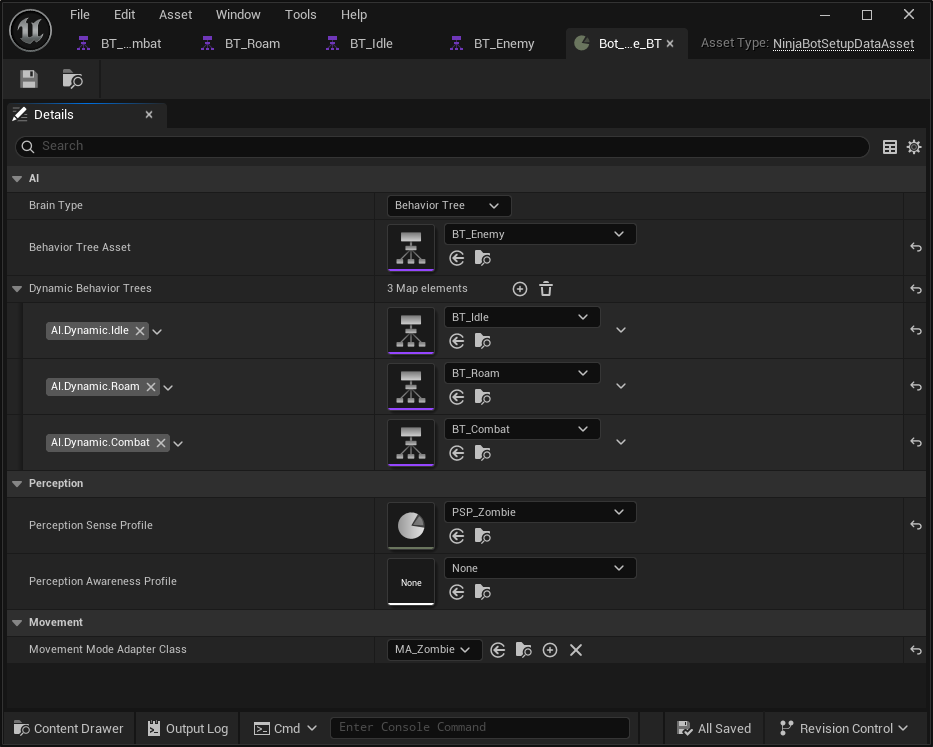
Open your Bot Setup.
Add one Dynamic Behavior Tree entry for each behavior, mapping the appropriate Dynamic Tags to their respective assets.
Create the Combat State Tree
Duplicate your Base State Tree and name the new asset
ST_Combat. Remove all states, keeping only the Combat state at the Root.Create a new Global Parameter named SensedActor and set its type to
Actor. Update all existing SensedActor bindings to useParameters.SensedActorinstead.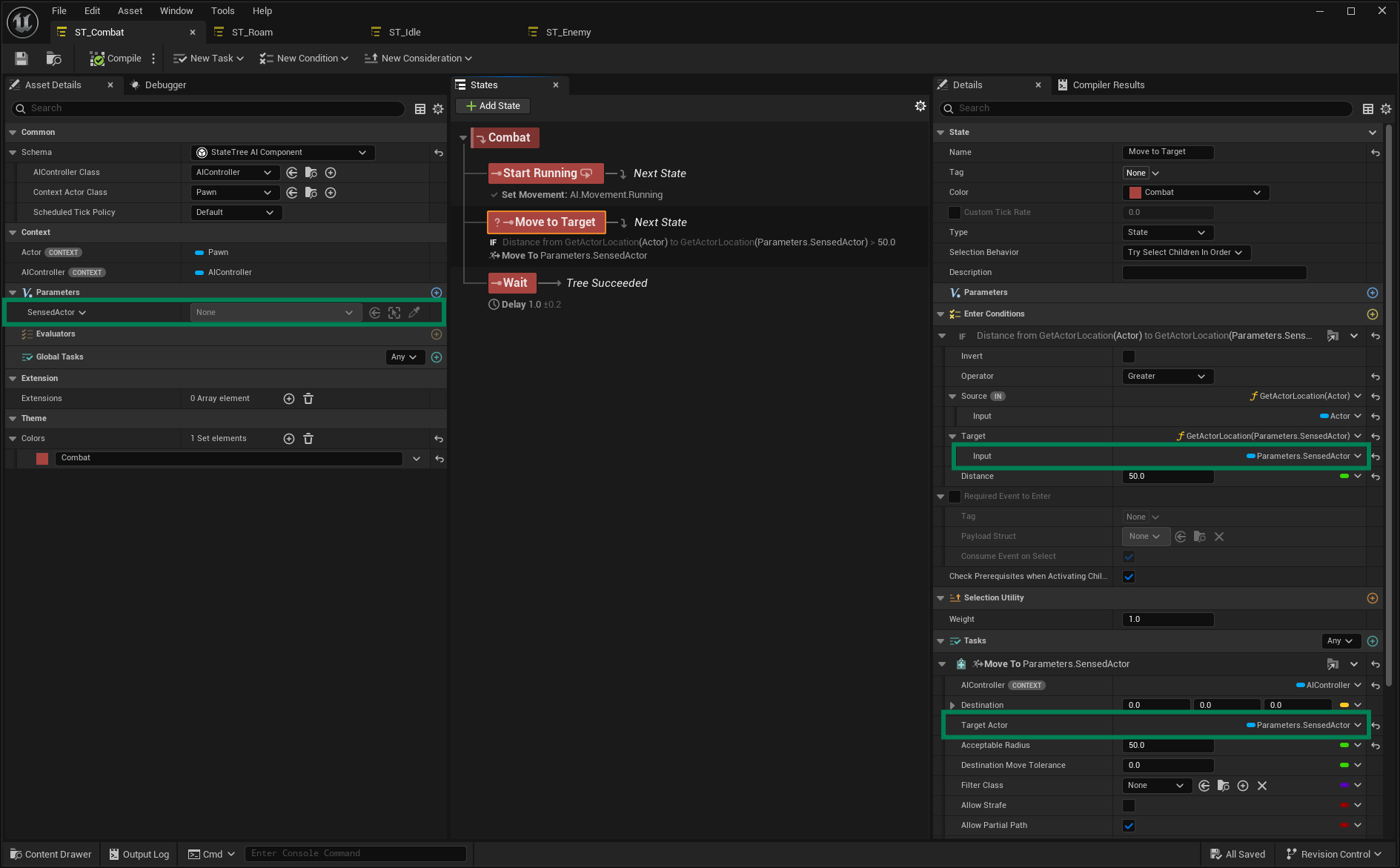
Add an On State Completed transition to the Wait state and set it to Tree Succeeded.
Remove the Perception Evaluator inherited from the base State Tree.
Create the Roam State Tree
Duplicate your Base State Tree and name the new asset
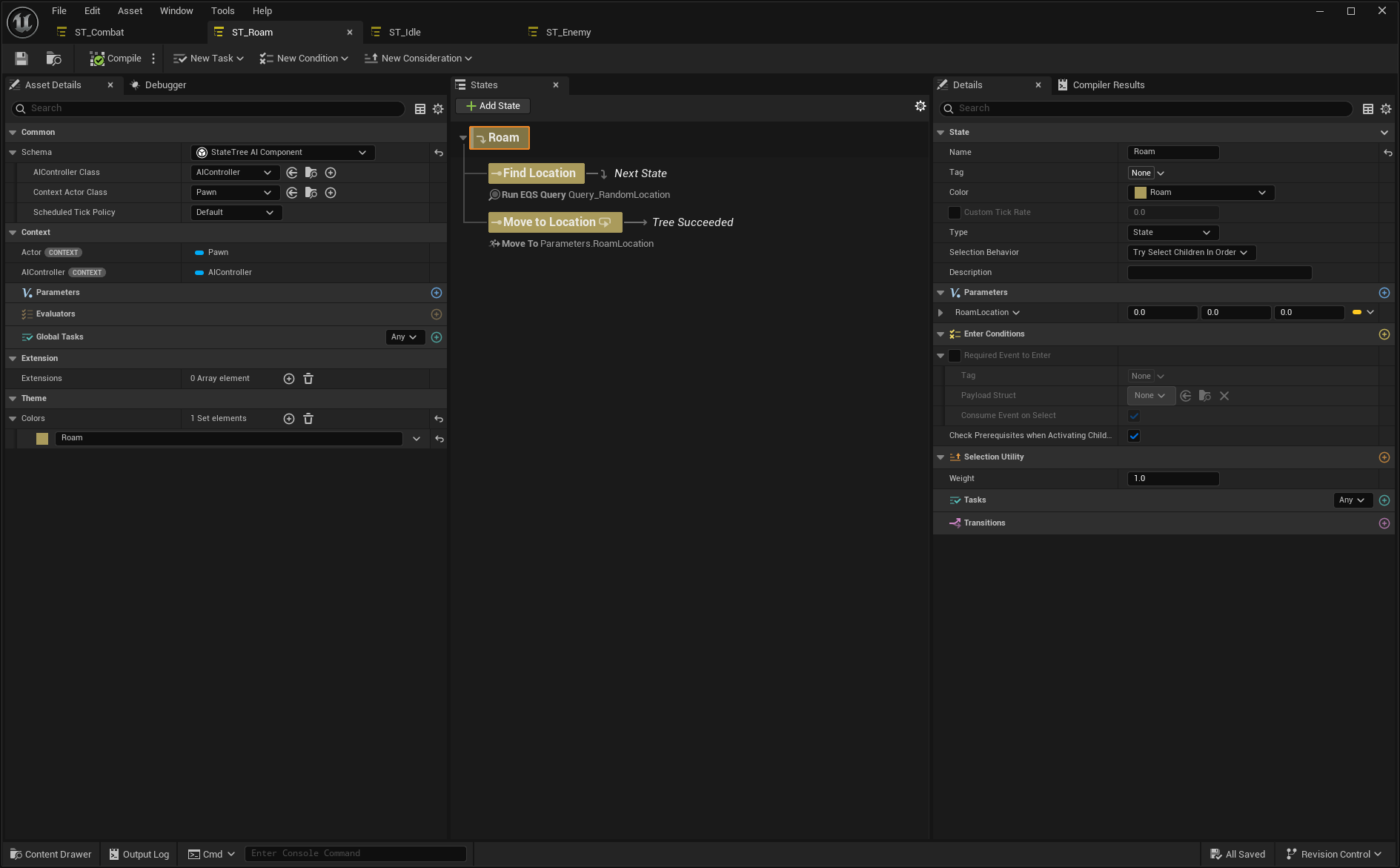
ST_Roam. Remove all states, keeping only the Roam state at the Root.Add an On State Completed transition to the Move to Location state and set it to Tree Succeeded. Remove the Perception Evaluator.
Create the Idle State Tree
Duplicate your Base State Tree and name the new asset
ST_Idle. Remove all states, keeping only the Idle state at the Root.Add an On State Completed transition to the Wait state and set it to Tree Succeeded. Remove the Perception Evaluator.

Update the Base State Tree
Return to the Base State Tree, remove all state implementations, and add a single Child State to each main state: Combat → Run Combat Behavior, Roam → Run Roam Behavior, Idle → Run Idle Behavior.
In the Run Combat Behavior state, set the Tag to
AI.Dynamic.Combat, set the type to Linked Asset, and assign the Combat State Tree. This enables overriding the Combat Tree’s SensedActor parameter. Override it to useUpdatePerception.SensedActor.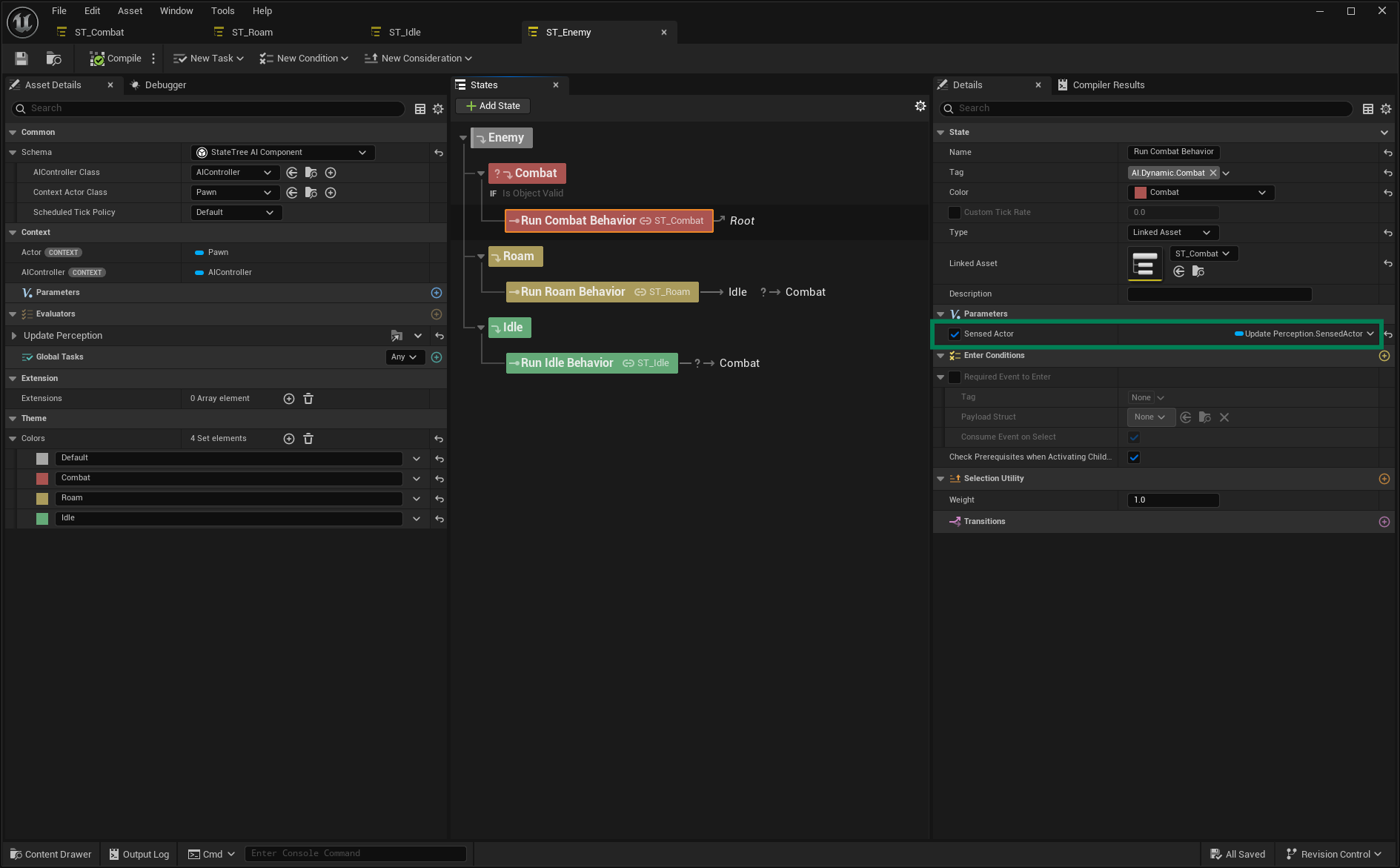
In the Run Roam Behavior state, set the Tag to
AI.Dynamic.Roam, set the type to Linked Asset, and assign the Roam State Tree. Add a Tick transition to Combat with high priority and a Valid Object condition that checks whetherUpdatePerception.SensedActoris valid.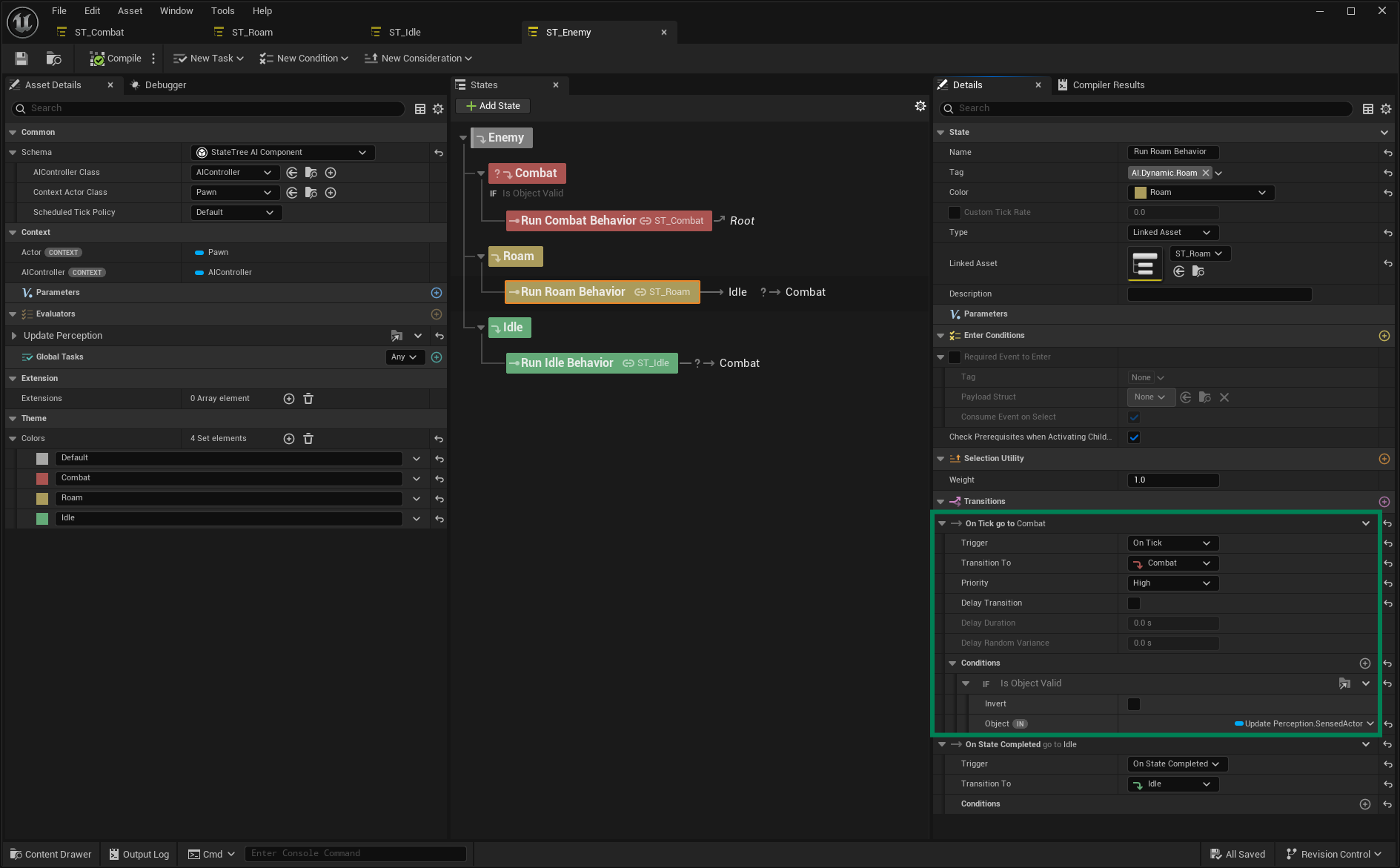
In the Run Idle Behavior state, set the Tag to
AI.Dynamic.Idle, set the type to Linked Asset, and assign the Idle State Tree. Add a Tick transition to Combat with high priority and a Valid Object condition that checks whetherUpdatePerception.SensedActoris valid.
Update the Bot Setup for the State Tree
Open your Bot Setup.
Add one Dynamic State Tree entry for each behavior, mapping the appropriate Dynamic Tags to their respective assets.
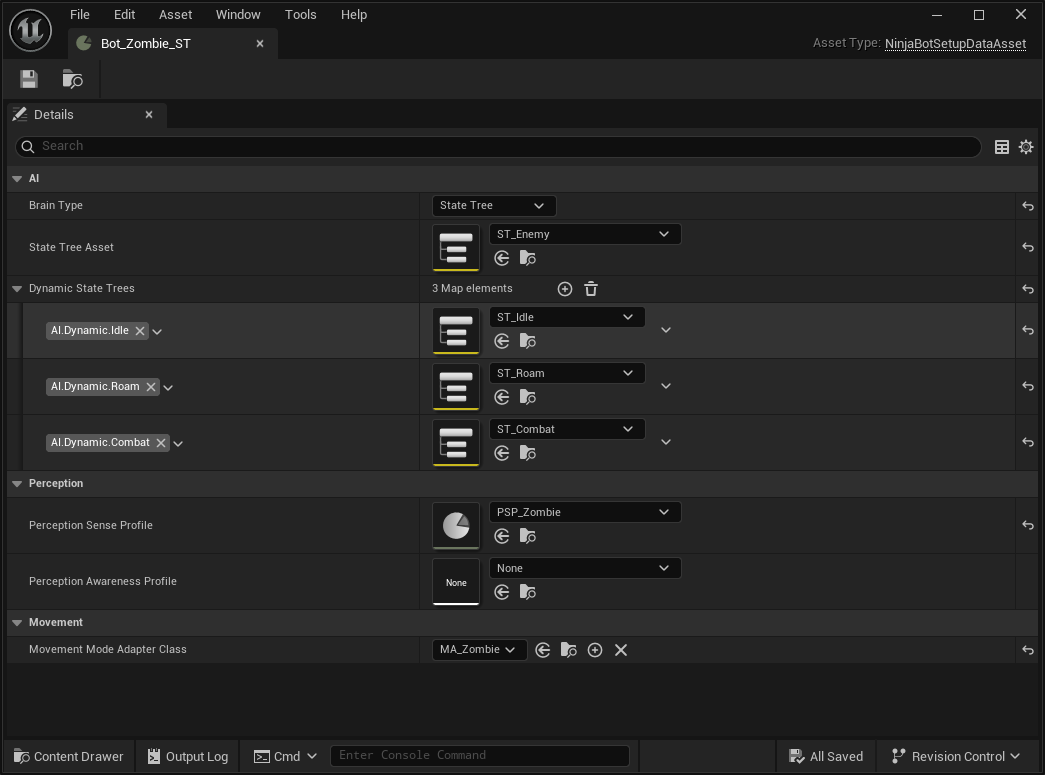
Your Bot’s behavior should still remain the same. However, by using the same base asset, you can now mix and match multiple authored behaviors to create different AI archetypes, and even swap behaviors dynamically based on context, such as:
Patrol Points with their own set of dynamic behaviors.
Different combat strategies based on the currently equipped weapon.
Unique idle states for different types of idle breaks.