Configuring Player Vitals Widget
Player Vitals
ViewModels are instantiated and used by widgets and can even be configured to exchange data between themselves. You can find a complete list of ViewModels available in Ninja Combat, but here are a few common usage examples:
Setting player vital attributes, using progress bars or text.
Displaying damage applied to enemies, including accumulating damage applied over time.
Tracking active Status Effects from Gameplay Effects applied to the player or to enemies.
Configuring a Player Health Bar
Create a widget with a progress bar that will be used to represent the player's health.

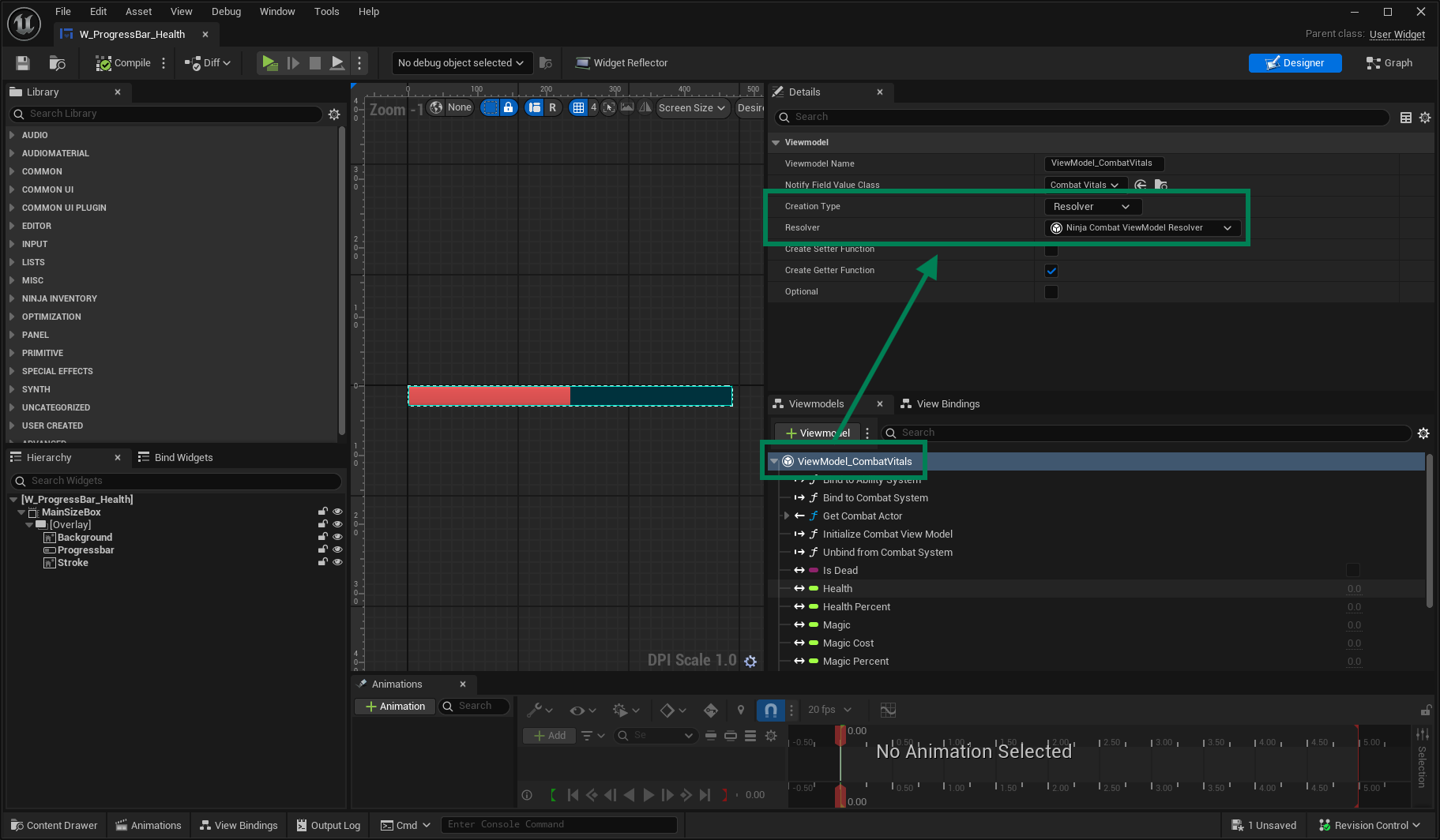
In the ViewModels tab, add the Vitals ViewModel to your widget and set its Creation Type to Resolver. Select the Ninja Combat ViewModel Resolver class.
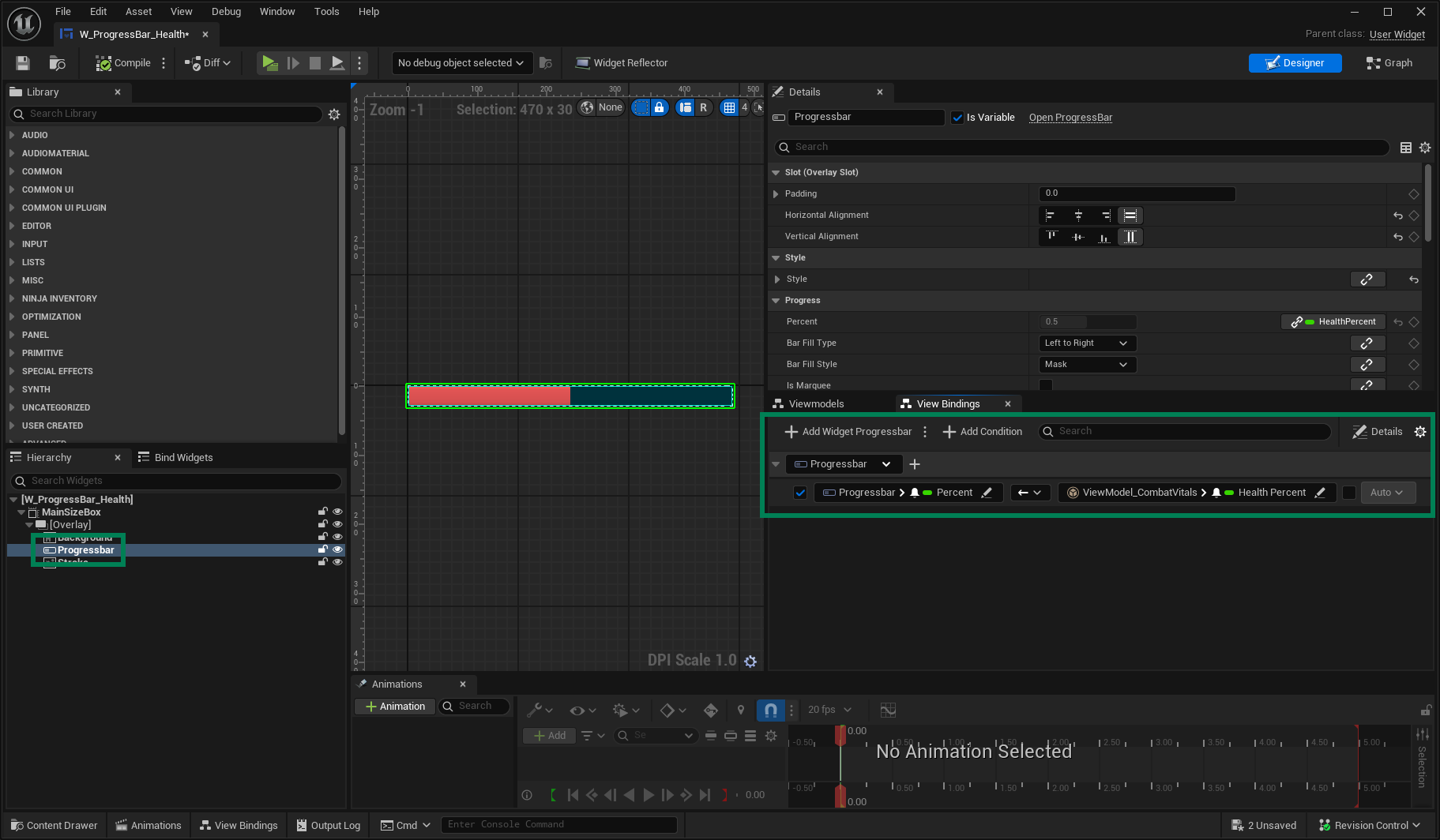
In your widget Hierarchy panel, select the Progress Bar component. We will create a View Binding for it next.
In the View Bindings panel, click Add Widget, select the percent property from your Progress Bar, and bind it to the Health Percent property, from the Combat Vitals ViewModel.
You can also use Conversion Functions to perform common conversions such as float to text. Unreal Engine already provides many of these functions.
Converting Current and Maximum Health
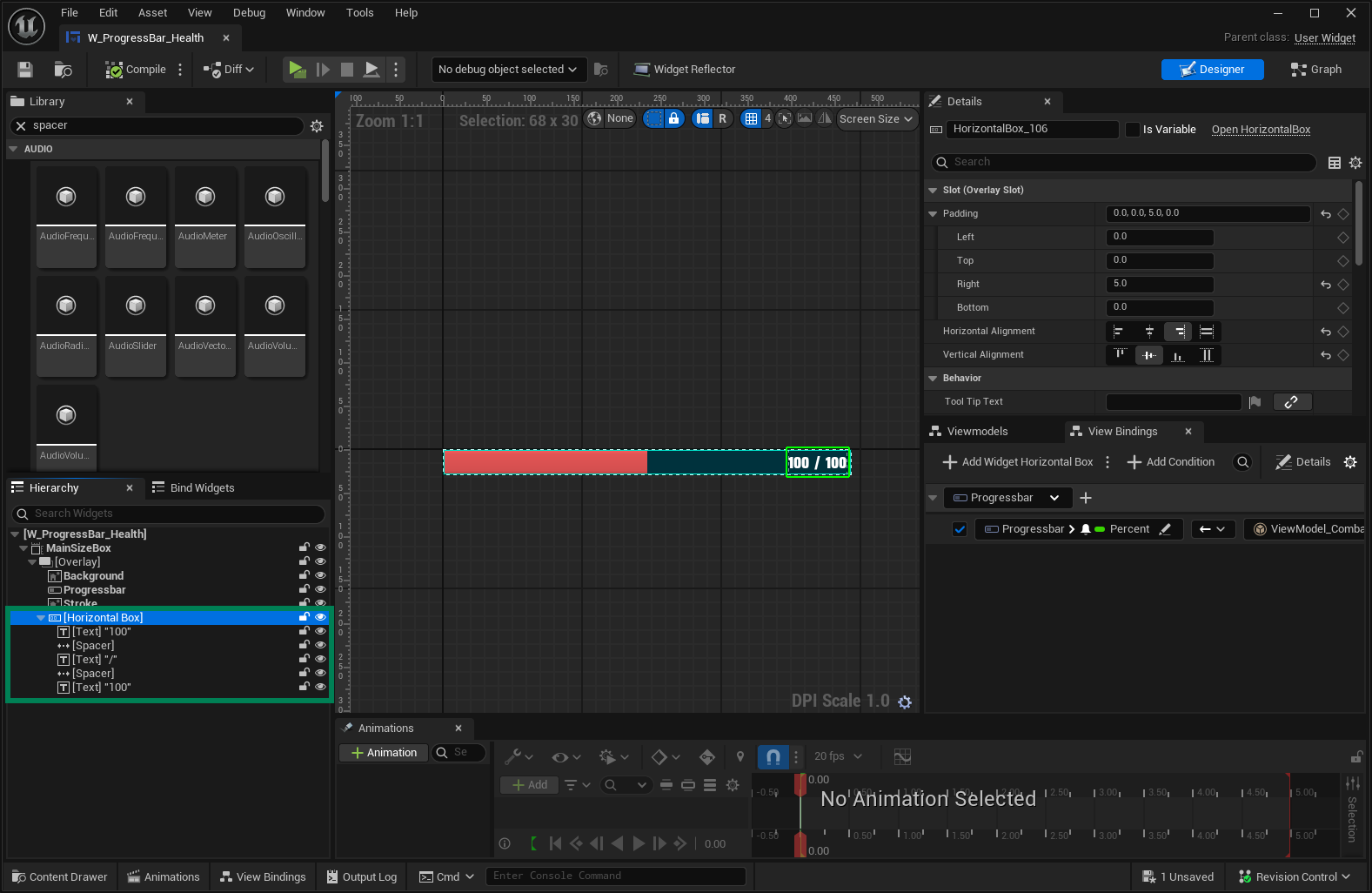
In your Health Widget add Text Block components to represent the player's current and maximum health.
Create a View Binding for the Current Health, but using the To Text(Float) Conversion Function.
Configure the conversion details, binding the Value to the Current Health property, from the Combat Vitals ViewModel.
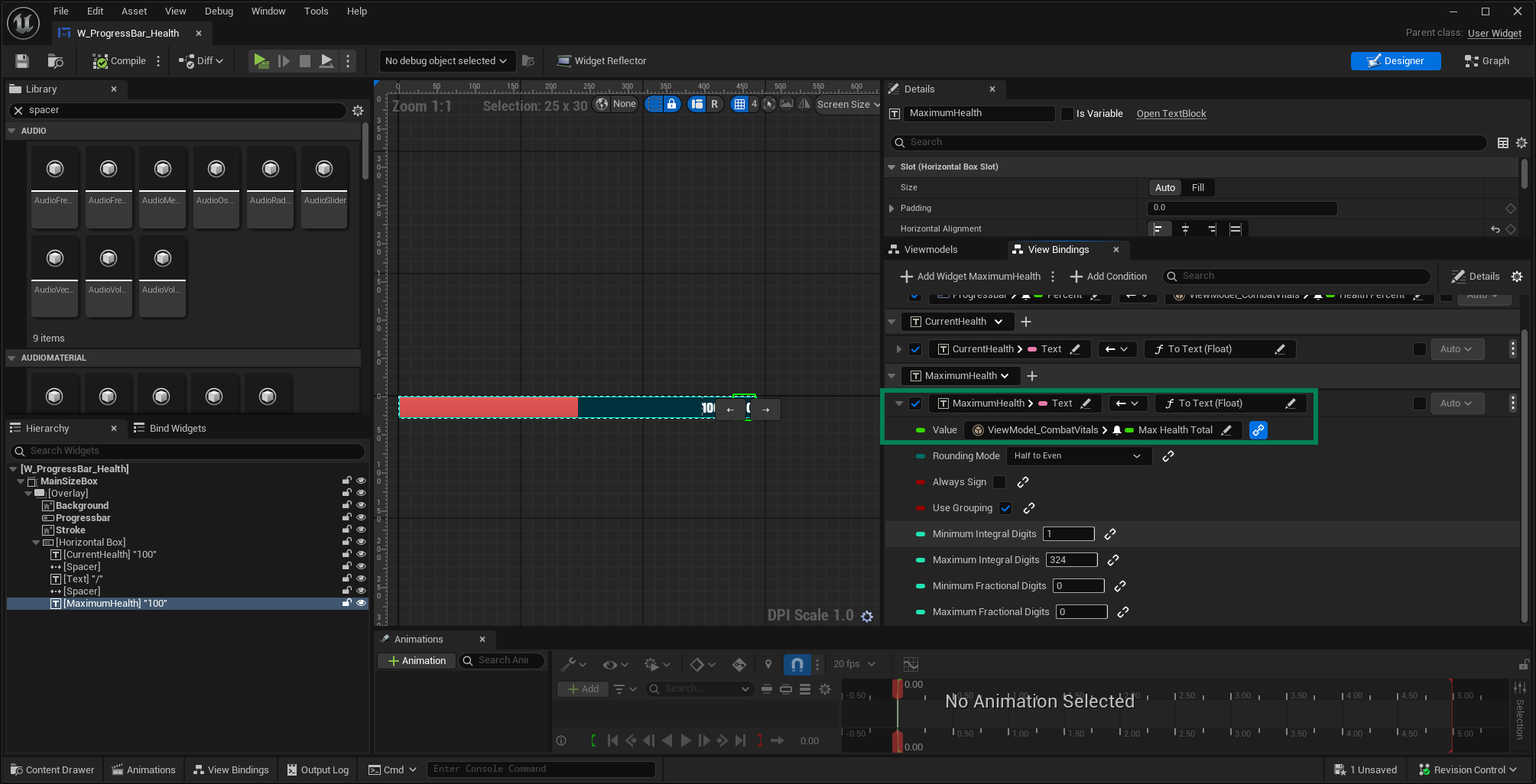
Repeat the steps for the Maximum Health Text Block, binding it to the Max Health Total property, from the Combat Vitals ViewModel.
Enemy Vitals
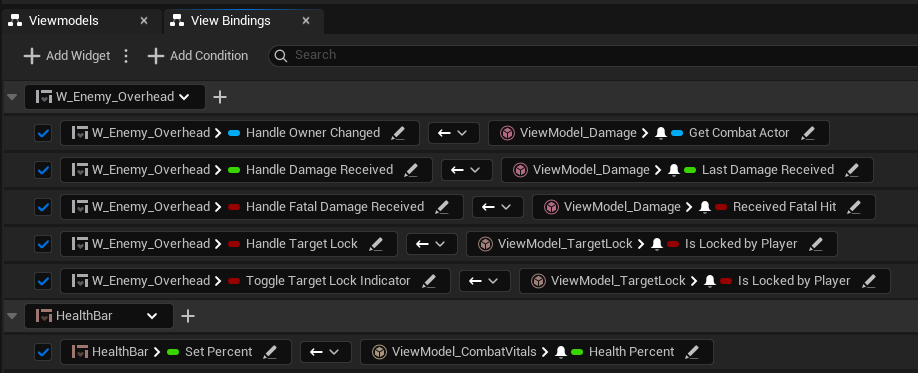
The same structure can be used by widgets assigned to enemy blueprints. The difference is that you need to set the Combat Actor that will provide the Ability System Component and the Combat Manager used for bindings.
This can be done in two ways:
Using the provided
NinjaCombatWidgetComponentin your blueprint. It automatically sets the owner to any Combat Widgets hosted by it.Calling
SetCombatActor, from theCombatActorAwareInterfaceon any Combat Widget that needs to know about the combatant actor.
For enemies, you can explore additional ViewModels and bindings to show or hide the widget as needed.