Combo Branching
By default, combos are represented by a State Machine, which means they naturally support branching logic. This allows players to transition from one attack into multiple potential follow-ups, depending on input or context.
A common use case is giving players the choice between a light and a heavy attack, or between ground and aerial follow-ups. Branching opens the door to more dynamic and expressive combat sequences.
Branching Combo States
Branching is handled through transitions triggered by different State Tree Event Tags.
In the previous chapter, we used a single event tag, Combat.Event.Combo.Attack.Primary, for a linear combo. Now, we'll introduce branching by adding an alternate event, such as Combat.Event.Combo.Attack.Secondary.
Configuring Branching
Open your existing State Tree and group the current primary attacks under a new Parent State (e.g., Primary Attacks).
Add a Sibling State named Secondary Attacks.
Within Secondary Attacks, create a Child State for the first secondary attack. Set the Enter Condition to
ComboState.ComboCount == 2.Add an Activate Combo Ability task and set the activation tag to
Combat.Ability.Attack.Combo01E.Since this is a final attack, add an On State Complete transition to Tree Succeeded.
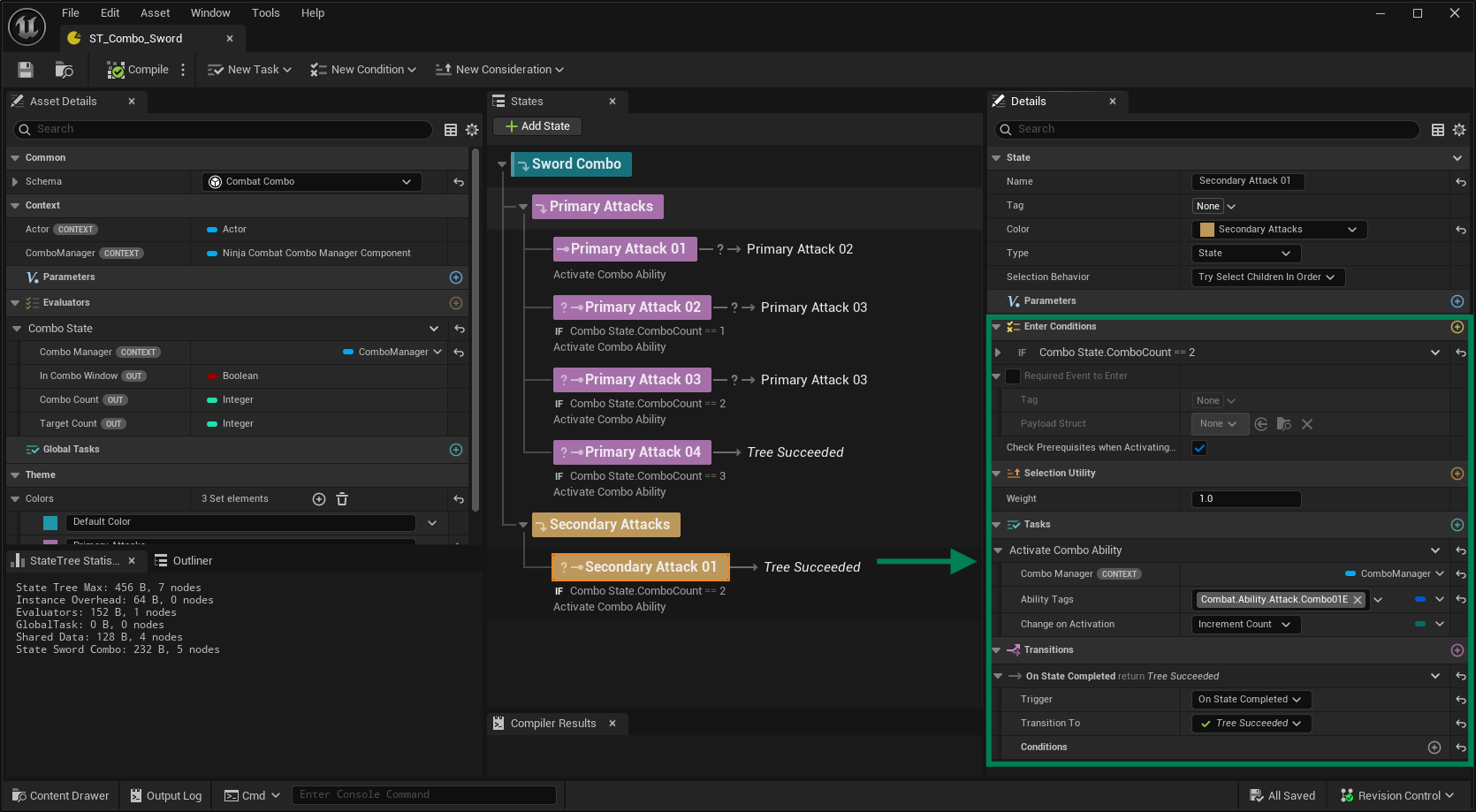
Next, add another branching option and set up transitions from the Primary Attack states to the new Secondary ones.
Finishing the Branching Setup
Duplicate Secondary Attack 01, update its Enter Condition to require
ComboCount == 3, and change the activation tag toCombat.Ability.Attack.Combo01F.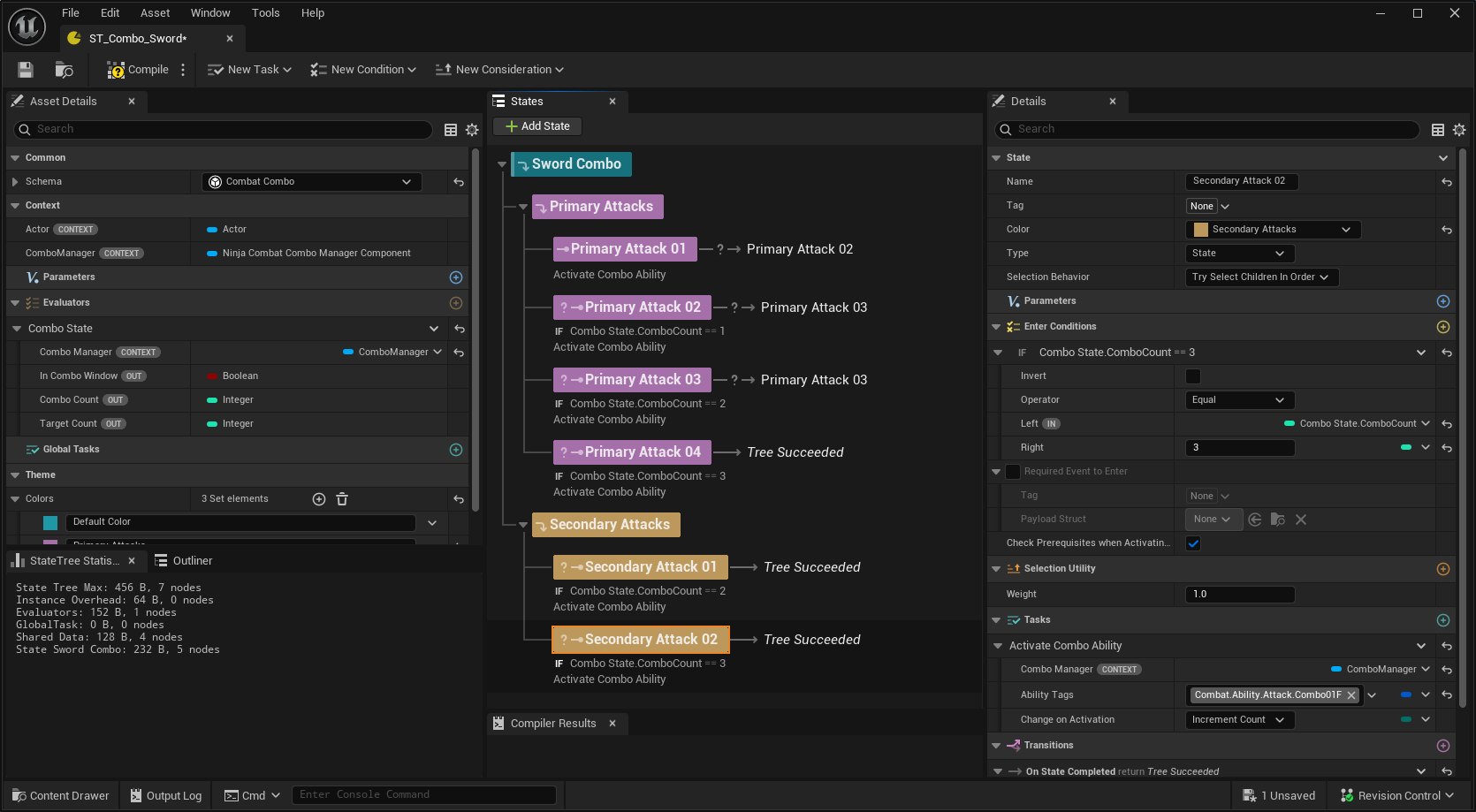
In Primary Attack 02, add a new Transition to Secondary Attack 01, using the event tag
Combat.Event.Combo.Attack.Secondary.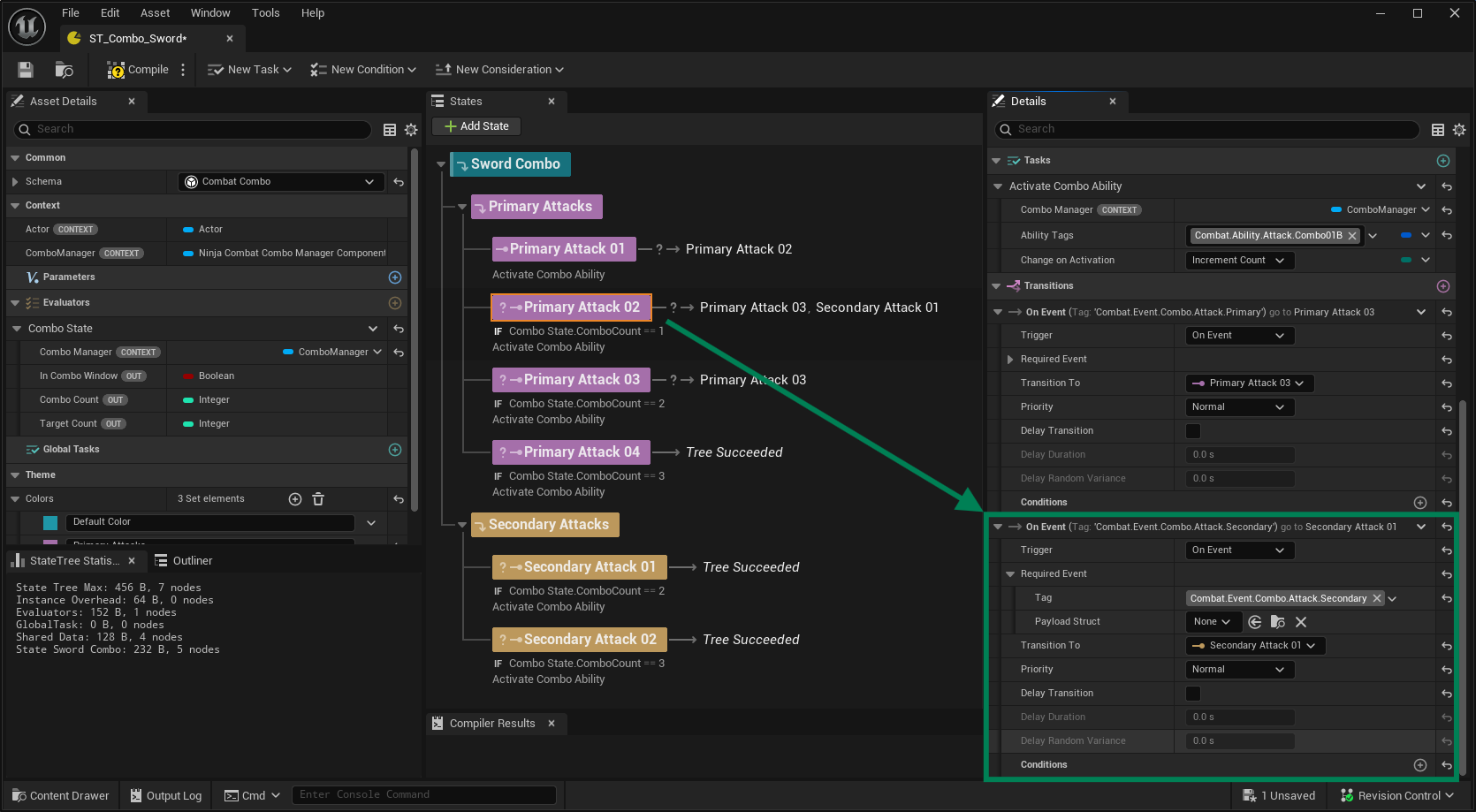
Repeat the same step for Primary Attack 03, adding a transition to Secondary Attack 02.
This Combo State Tree is now fully configured with branching:
It includes four Primary Attacks and two Secondary Attacks.
Primary Attacks 2 and 3 can either continue linearly or branch into their respective Secondary Attacks.
Primary Attack 4 and both Secondary Attacks are final nodes that end the combo.
Input Handling
Updating your inputs to support branching is straightforward, but the exact approach depends on how your Combo Ability is configured to handle events.
Gameplay Tag Mode: Your input logic must send distinct events for each branch—typically
Combat.Event.Combo.Attack.Primary(already covered) andCombat.Event.Combo.Attack.Secondaryfor the branching path.Input Action Mode: Ensure your secondary input (e.g., a different attack button) is mapped to trigger
Combat.Event.Combo.Attack.Secondary. The Combo Ability will internally map this to the correct transition.