Setting Up Ninja Bot
This page summarizes the setup required for Ninja Bot after the plugin has been installed and enabled.
For the general installation process, see the Installing Plugins guide.
Prerequisites
Requirement | Notes |
|---|---|
Unreal Engine AI System | Ninja Bot builds on Unreal Engine's AI Perception and AI Controller systems. |
Ninja Factions | Optional. Used when bots need faction-aware team resolution. |
Setup Checklist
Step | Required | Guide |
|---|---|---|
Install and enable the plugin | Yes | |
Add C++ module dependencies | Yes, if using C++ | |
Configure Asset Manager | Yes | |
Review AI engine settings | Recommended | See below |
Configure Ninja Bot settings | Recommended | See below |
AI Engine Settings
These engine settings are optional, but recommended for projects that rely heavily on AI Perception. They can reduce unnecessary perception tracking and help keep AI evaluation focused on relevant actors.
Pawns as Sources
By default, all pawns are automatically registered as perception stimulus sources. In many projects, this is unnecessary and may introduce avoidable overhead, especially when large numbers of pawns are never relevant to AI perception.
It is also common for projects to deliberately control when pawns are added or removed as perception sources, depending on gameplay state.
You can disable automatic pawn registration by adding the following entries to your DefaultEngine.ini file:
When automatic registration is disabled, you must explicitly add a Stimuli Source Component (UAIPerceptionStimuliSourceComponent) to any pawn that should participate in the Perception System, and register the relevant senses on that component.
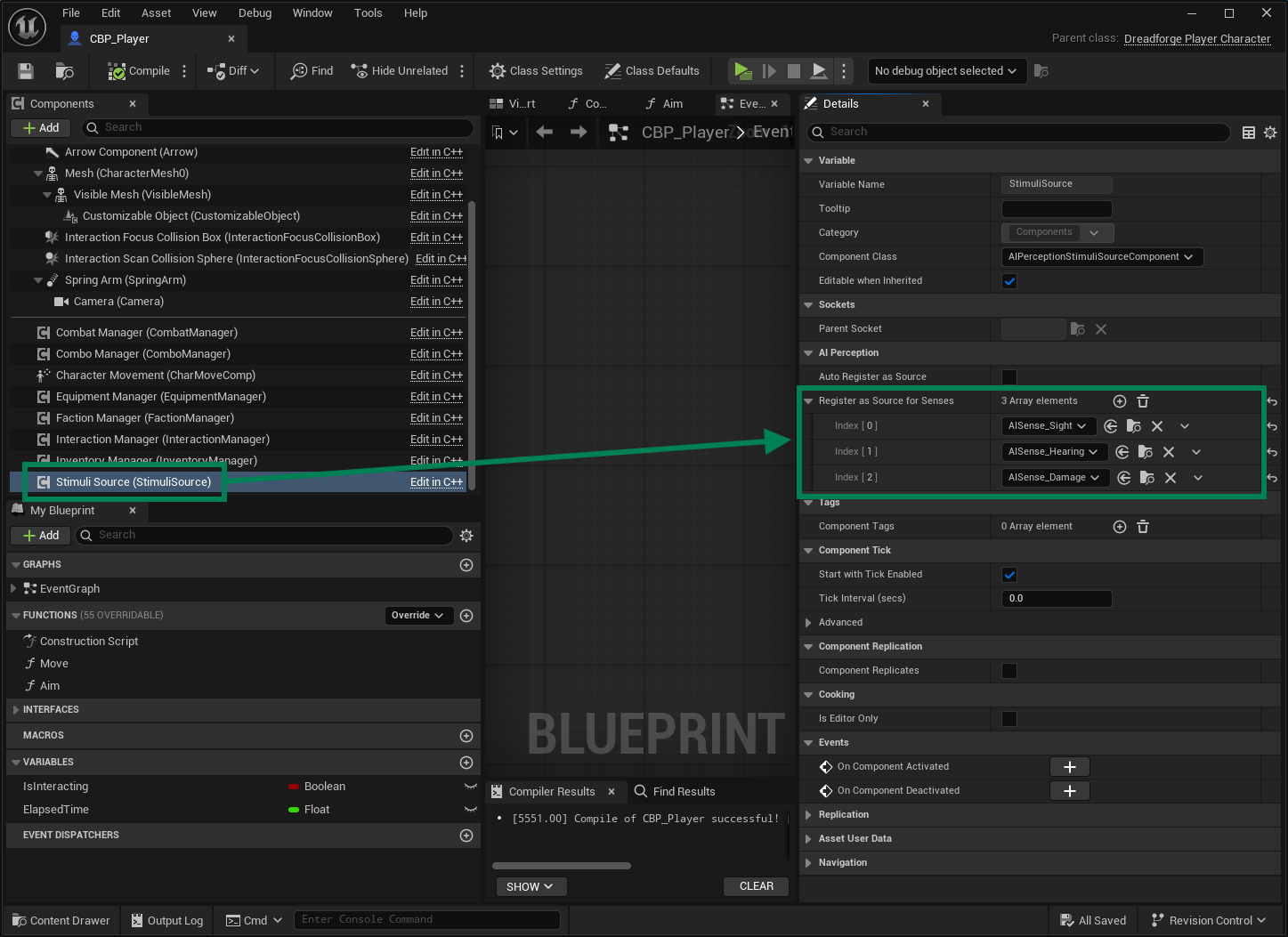
Forget Stale Actors
When enabled, Unreal's AI system removes actors from perception memory once they no longer have active stimuli. This helps prevent stale actors from continuing to be evaluated by the perception system.
These settings are available in Edit → Project Settings → AI System.
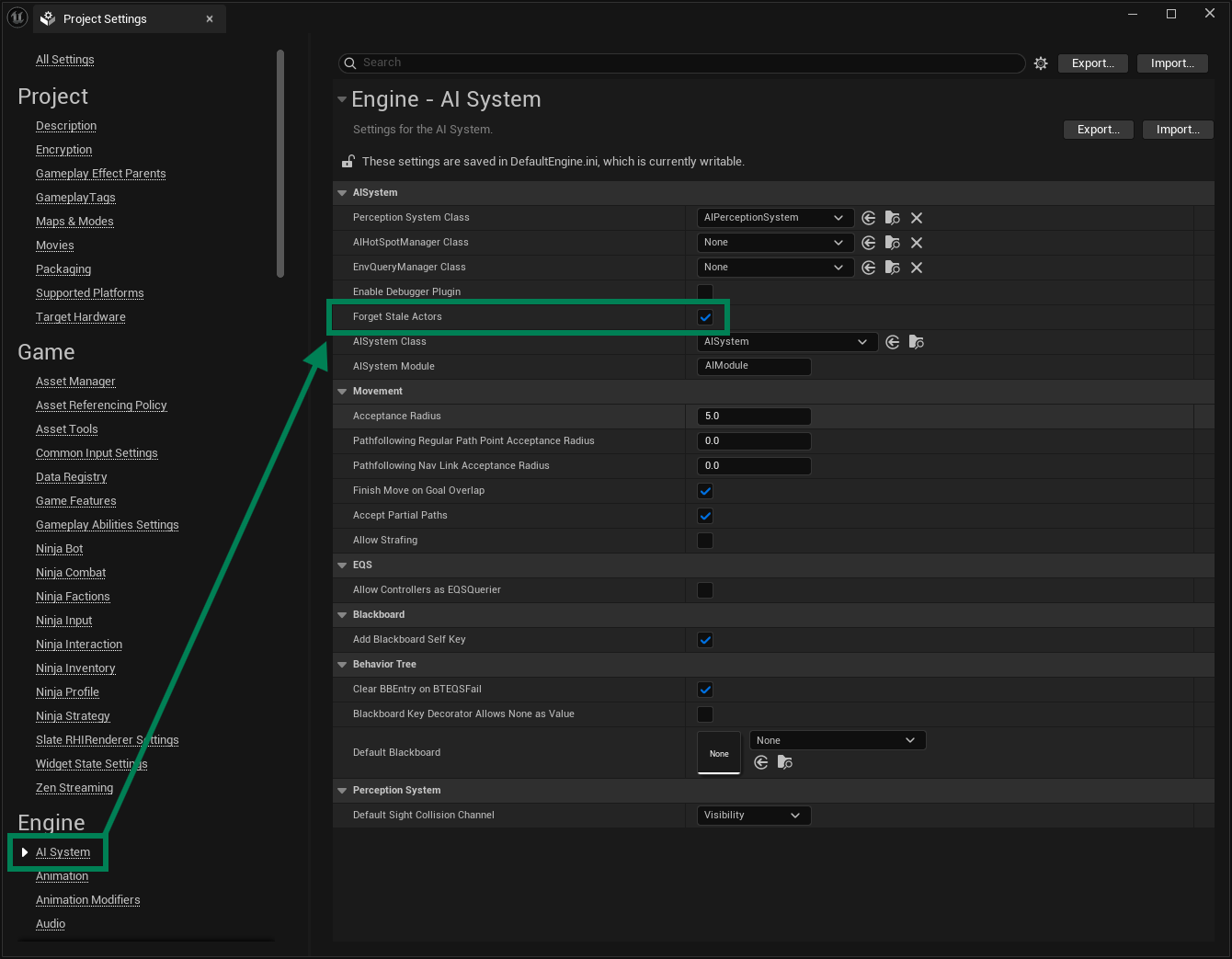
You can enable this in DefaultEngine.ini:
Plugin Settings
Ninja Bot exposes global settings through Unreal Engine's Developer Settings system. These settings affect all bots using the framework and are intended for high-level configuration rather than per-bot customization.
These settings are available in Edit → Project Settings → Ninja Bot.
Setting | Description |
|---|---|
Disable Logic | Globally disables Ninja Bot AI logic. When enabled, perception evaluation and awareness updates are skipped. This can be useful when testing other gameplay systems without AI interference. |
Team Provider Class | Defines the class responsible for resolving team affiliation for actors. This is the main integration point between Ninja Bot and Ninja Factions. |