Engine Settings
Although these engine settings are optional, enabling them can reduce memory usage and CPU overhead associated with perception tracking and evaluation.
Forget Stale Actors
When enabled, this setting removes actors from the AI system's perception memory once they no longer have any active stimuli. This prevents the perception system from spending time evaluating actors that are no longer relevant.
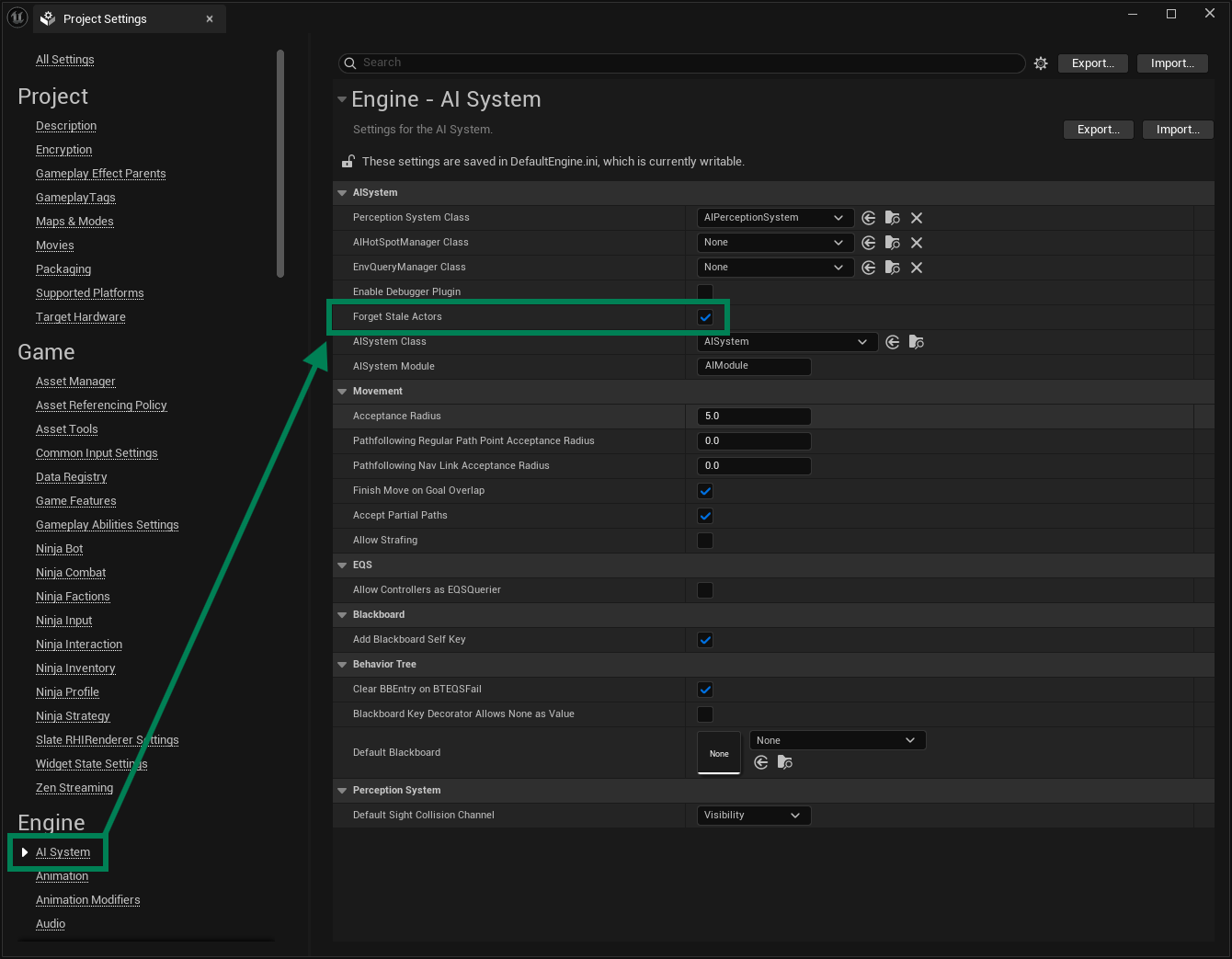
Alternatively, you can enable this behavior by adding the following to your DefaultEngine.ini file:
Pawns as Sources
By default, all pawns are automatically registered as perception stimulus sources. In many projects, this is unnecessary and may introduce avoidable overhead, especially when large numbers of pawns are never relevant to AI perception.
It is also common for projects to deliberately control when pawns are added or removed as perception sources, depending on gameplay state.
You can disable automatic pawn registration by adding the following entries to your DefaultEngine.ini file:
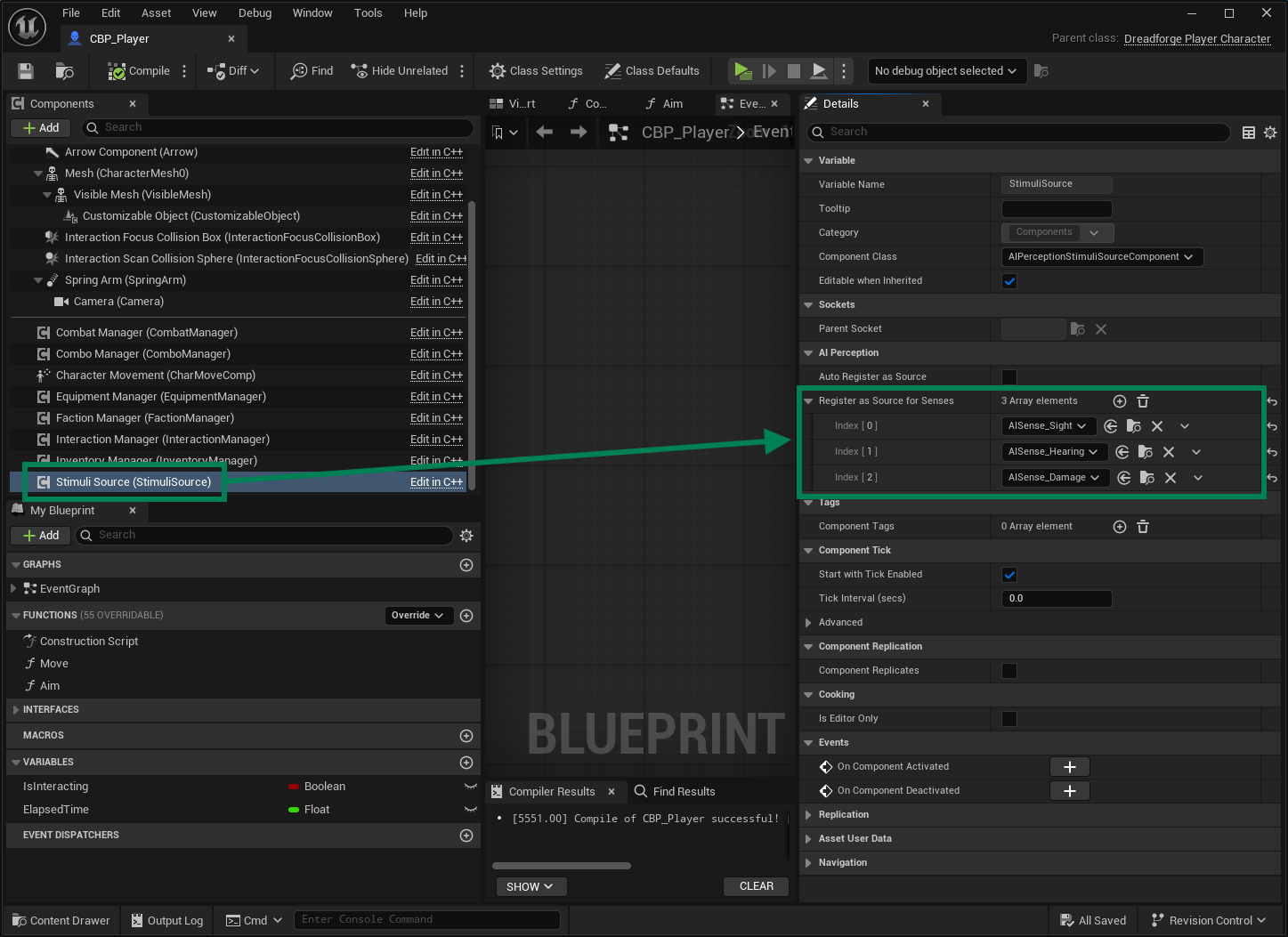
When automatic registration is disabled, you must explicitly add a Stimuli Source Component (UAIPerceptionStimuliSourceComponent) to any pawn that should participate in the Perception System, and register the relevant senses on that component.