Asset Manager and Data Assets
Ninja Bot uses a Primary Data Asset to represent the configuration required by AI controllers and perception components. This asset must be registered with the Asset Manager so it can be discovered and loaded reliably at runtime.
Bot Setup Data Asset
The Bot Setup Data Asset represents the high-level configuration for Ninja Bot. It defines how perception, awareness, and related systems are initialized for AI agents.
Registering the Bot Setup Data Asset
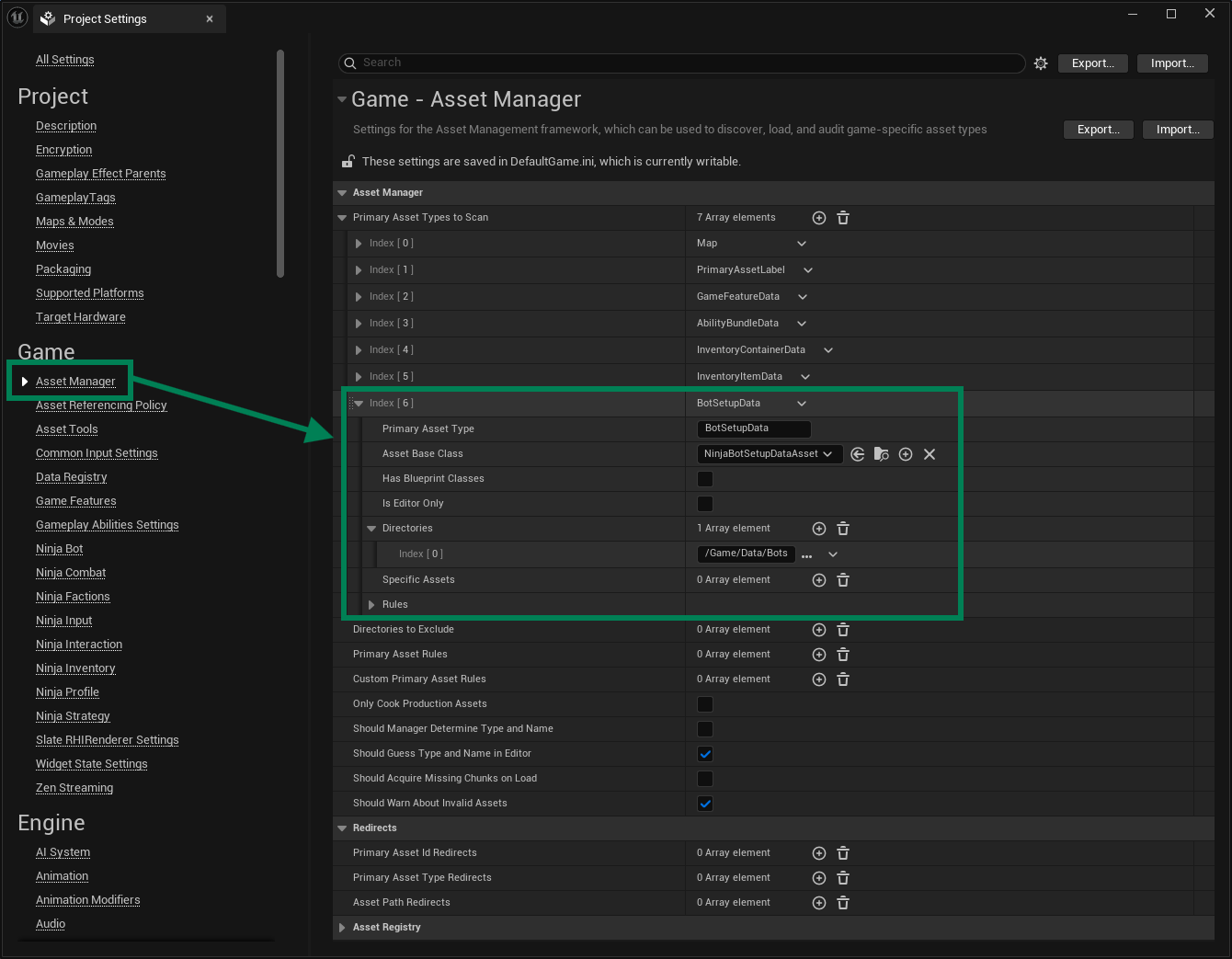
Open the Asset Manager Settings, located in Edit → Project Settings → Asset Manager.
Add a new entry to the Primary Data Asset Type to Scan list.
Set
BotSetupDataas the Primary Asset Type.Set
NinjaBotSetupDataAssetas the Asset Base Class.Select one or many folders in your project where you will store Bot Setup Data Assets.
Last modified: 27 December 2025