Using a Movement Mode Adapter
Movement Profiles are an adapter that translates movement changes to the underlying movement system (for example, the Character Movement Component, GASP, Mover 2.0, or other custom movement solutions).
Before starting, make sure the following pre-requisites are completed:
You have a Bot configured to roam and chase targets, as described in the First Ten Minutes guide.
Since this guide creates a Movement Adapter for the Character Movement Component, your Bot must be based on a Character.
Ideally, you should have animation assets, such as an Animation Blendspace, that can properly showcase walk and jog states.
Create the CMC Movement Adapter
In your AI Blueprint folder, create a new Movement Adapter using the Content Browser contextual menu: Ninja Bear Studio → Ninja Bot → Movement Adapter. Select
MovementAdapter_CMCas the base class.Add a new entry to Profile Settings, set the Gameplay Tag Key to
AI.Movement.Walking, and configure the movement settings to match your walking animation set.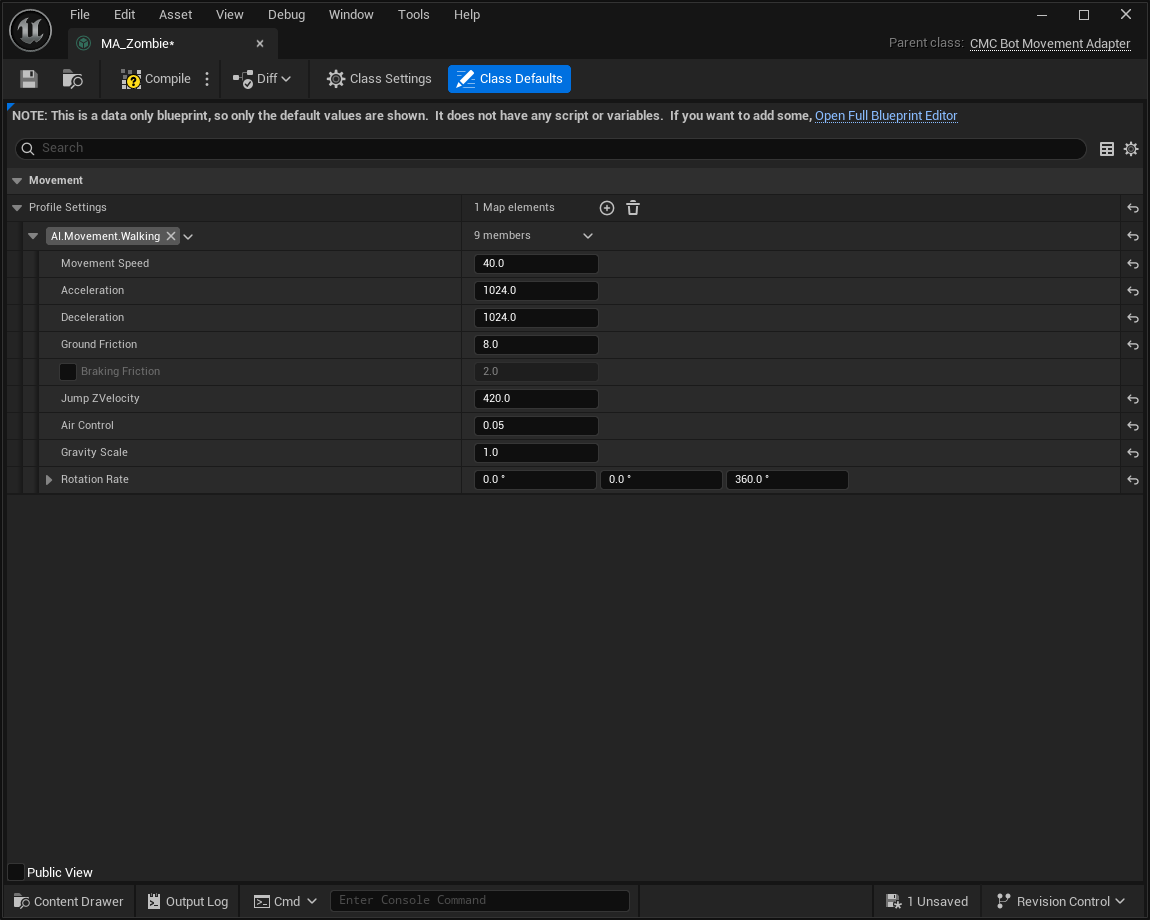
Add another entry to Profile Settings, set the Gameplay Tag Key to
AI.Movement.Running, and configure the movement settings to match your running animation set.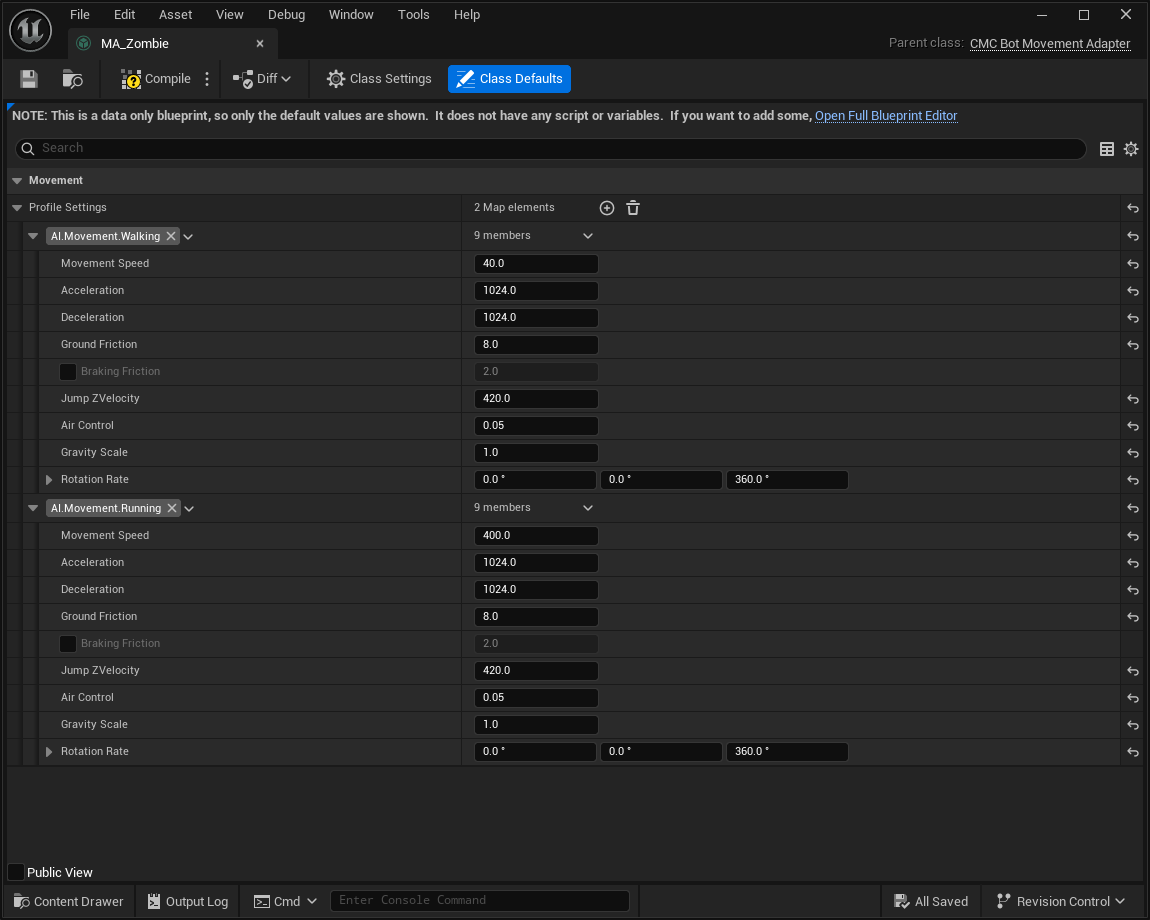
Apply the CMC Movement Adapter
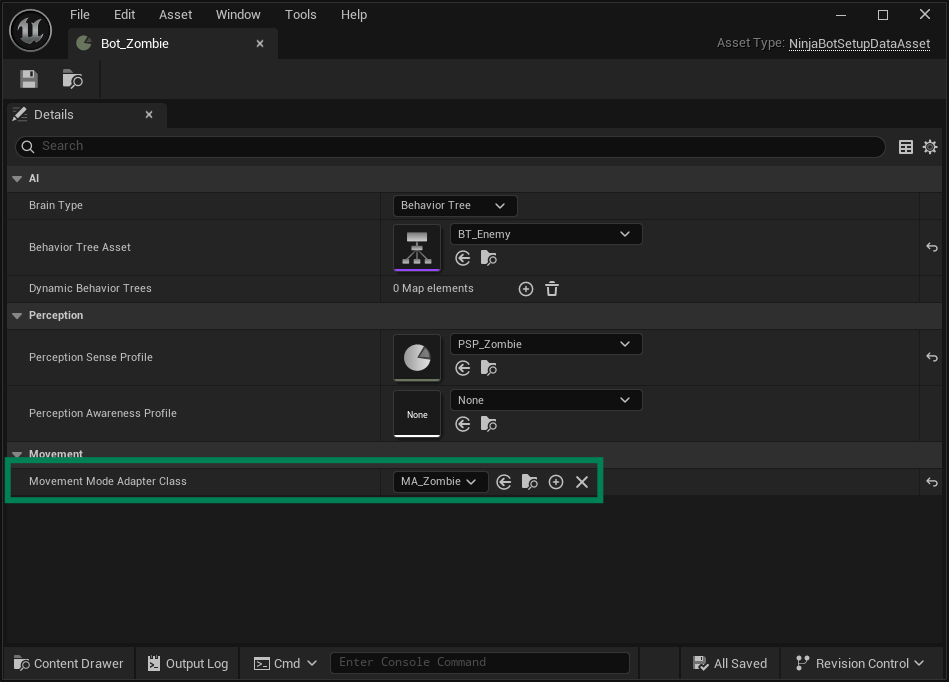
Open your Bot Setup data asset created in the previous guide.
Set the newly created Movement Adapter as the Movement Mode Adapter Class.
Use the Adapter from the Behavior Tree
Open your Behavior Tree configured for Combat, Roam, and Idle.
In the Combat branch, add the Set Movement task before the Move To task. Configure it to use the
AI.Movement.Runningmode.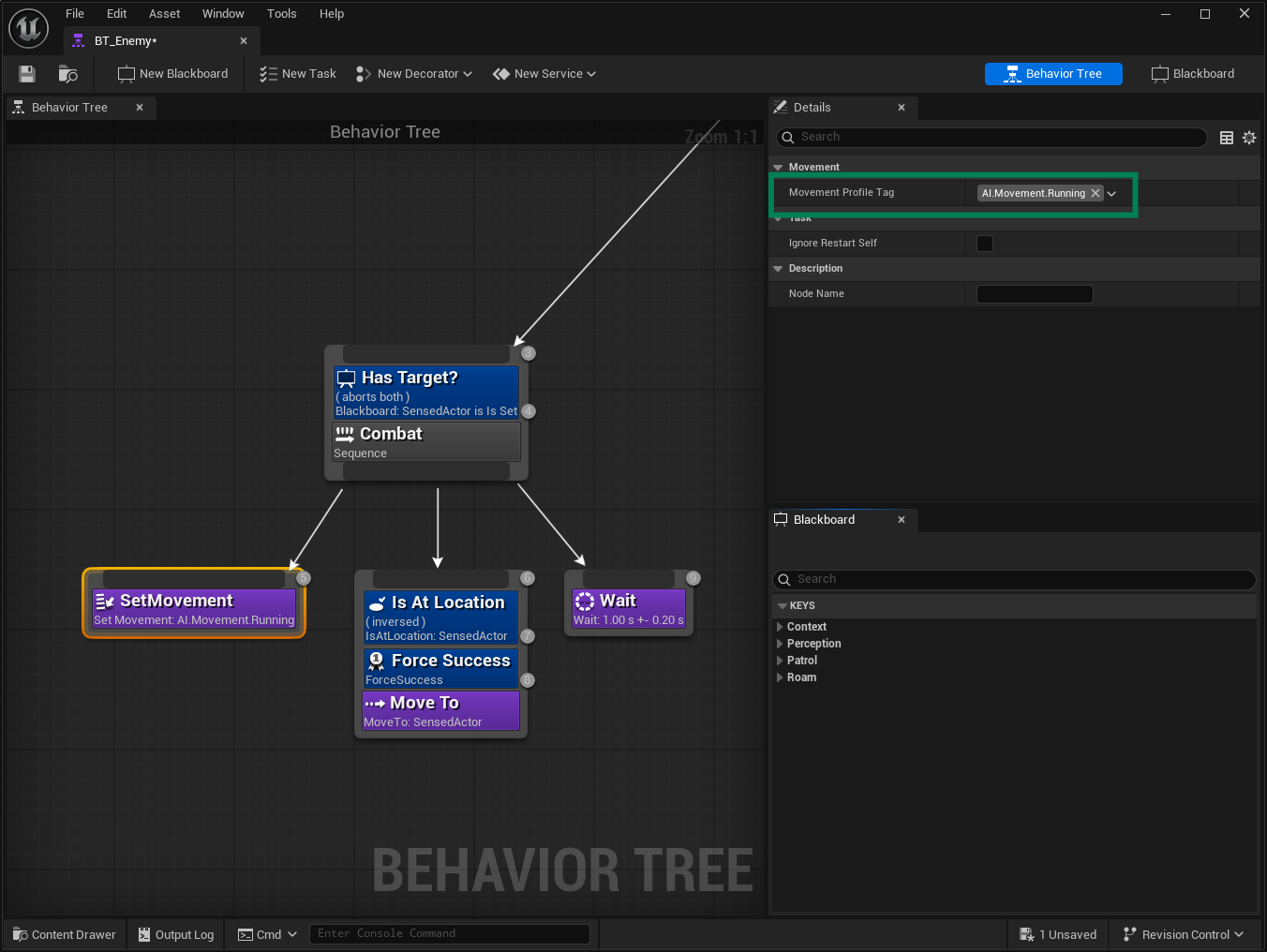
In the Roam branch, add the Set Movement task before the Run EQS task. Configure it to use the
AI.Movement.Walkingmode.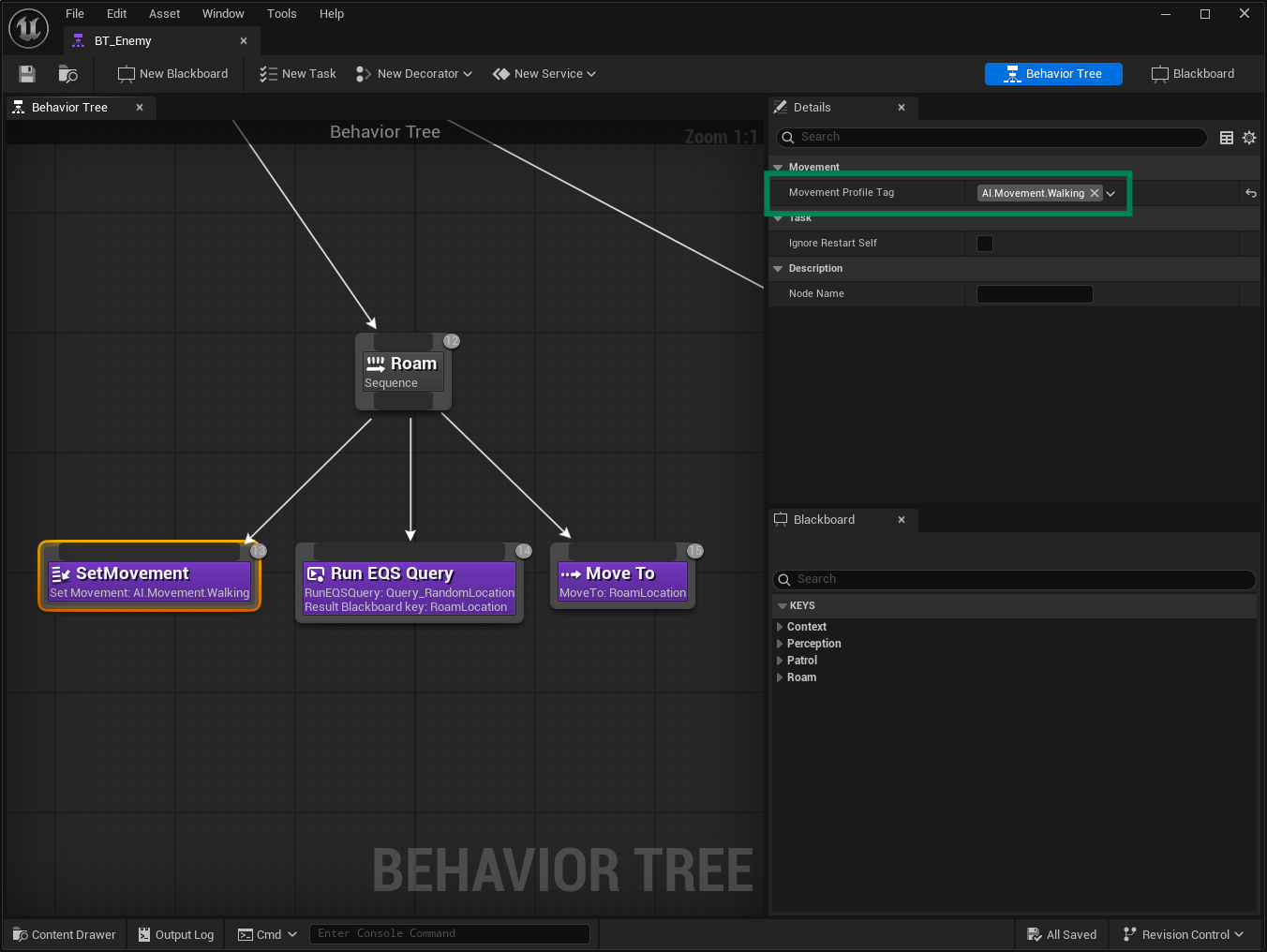
Use the Adapter from the State Tree
Open your State Tree configured for Combat, Roam, and Idle.
In the Combat state, add a new Child State named Start Running. Add a Set Movement task and configure it to use the
AI.Movement.Runningmode. Add an On State Completed transition to Next State.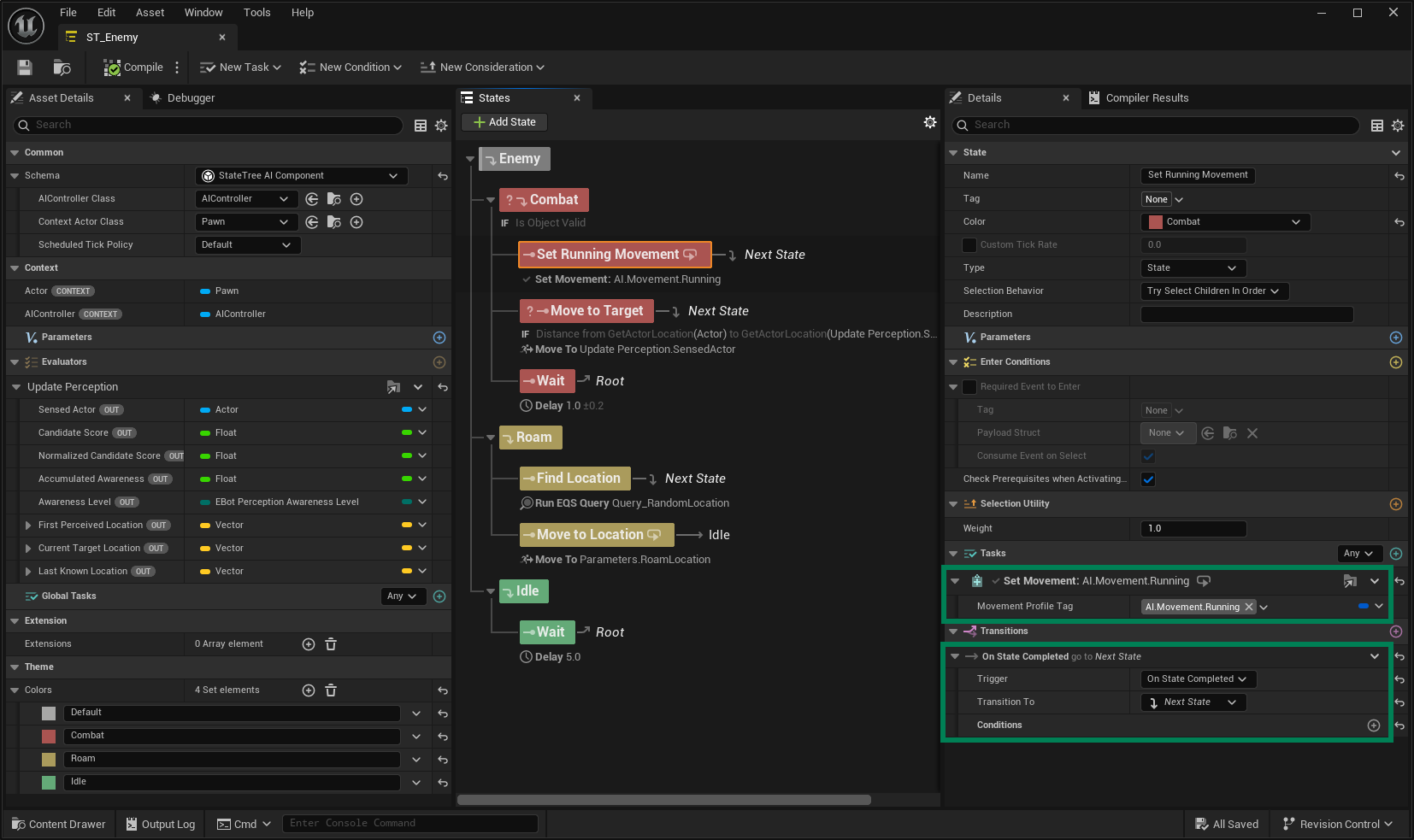
In the Roam state, add a new Child State named Start Walking. Add a Set Movement task and configure it to use the
AI.Movement.Walkingmode. Add an On State Completed transition to Next State.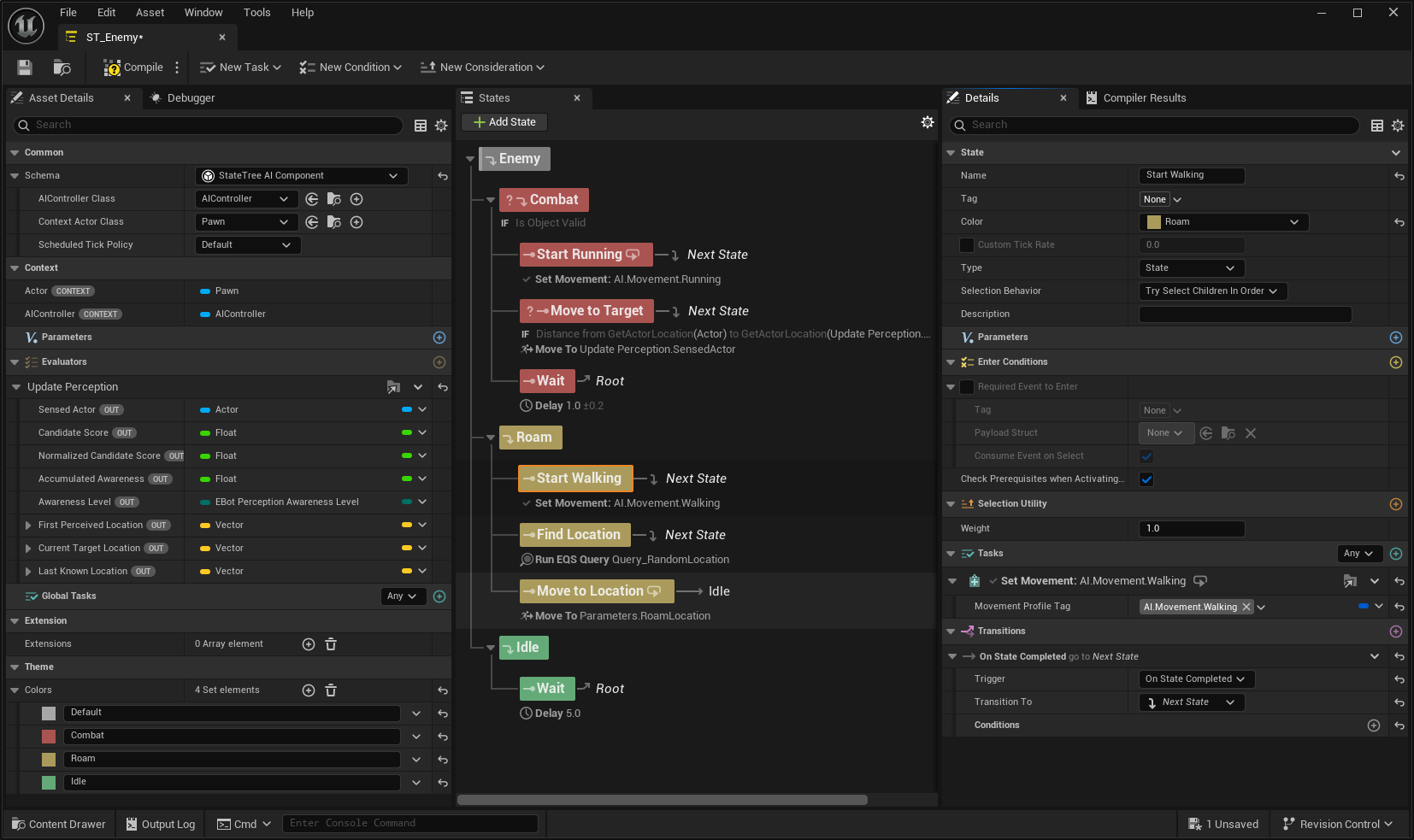
At this point, you should still have a Bot that roams around and chases the player when detected. However, the Bot should now correctly alternate between walking while roaming and running while chasing.