Offhand Fragment
The Offhand Fragment defines an anchor point on a piece of equipment, typically a two-handed weapon such as a sword, spear, rifle or shotgun.
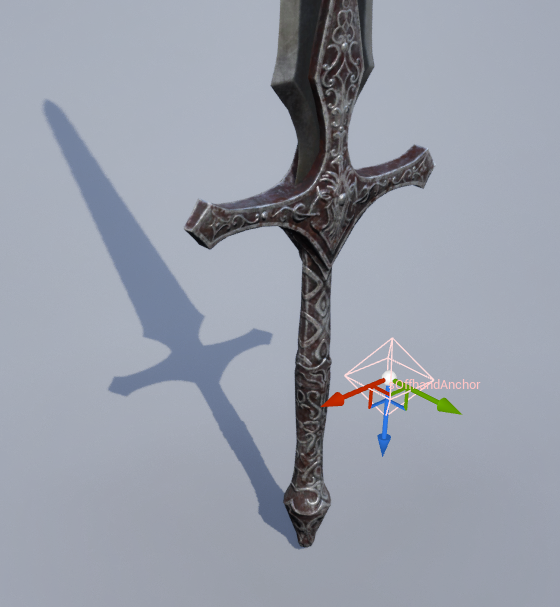
This anchor point represents the position in the weapon where the offhand (usually the left hand) should be placed by animation systems such as FABRIK, CCDIK or Control Rig.
The fragment declares a socket on the equipment's visual representation (mesh or actor) and is able to compute the anchor transform on demand.
Fragment Tags
This fragment adds the Inventory.Item.Trait.OffhandAnchor tag to an item.
Properties
This fragment has the following properties.
Property | Description |
|---|---|
| Socket in the equipment mesh (or mesh inside an actor), representing the anchor. |
Operations
This fragment exposes the following operations.
Function | Description |
|---|---|
| Provides the Offhand Position for a given equipment instance, in world space. |
Configuring the Equipment
This fragment works with items that use either meshes or actors as their equipment representation. To get started, create a socket on your equipment mesh that represents the point where the offhand should be placed.
The socket must have an appropriate location and rotation, aligned with how the offhand should grip the item. Ensure the socket name matches the one configured in the Offhand Fragment.
Equipment Manager Functions
When an equipped item contains an Offhand Fragment, the Equipment Manager automatically detects and caches it.
If multiple equipped items provide an offhand anchor, the component always prioritizes the most recently equipped one. When that item is stored or removed, the next valid cached entry becomes active.
This mechanism allows the system to maintain a stable reference to the active offhand placement, without repeatedly searching inventory containers, locating fragments, or performing lookup logic.
To further streamline usage, the Equipment Manager exposes two helper functions that always operate on the currently active fragment:
Function | Description |
|---|---|
| Retrieves the Offhand Transform in world space, contributed by the currently active equipment. |
| Provides an offhand transform in bone space, considering the reference bone provided. |
Animation Instance Usage
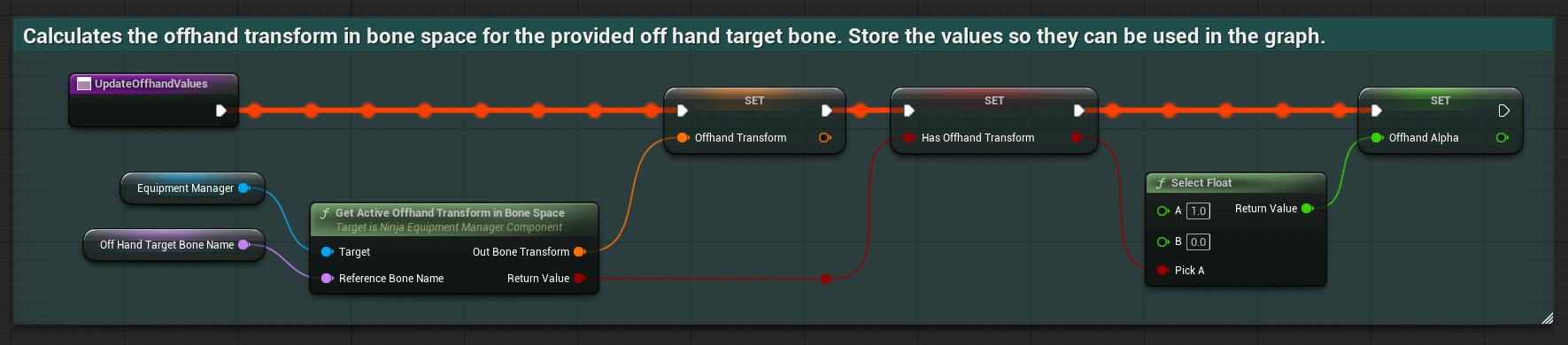
Using the Equipment Manager to retrieve the offhand anchor is straightforward. Because the component already caches the active fragment, your IK or animation setup only needs a single call to obtain the latest anchor transform.
The example below demonstrates how to retrieve this data inside an Animation Instance, but the same approach applies to any other gameplay or animation context that needs access to the offhand position.
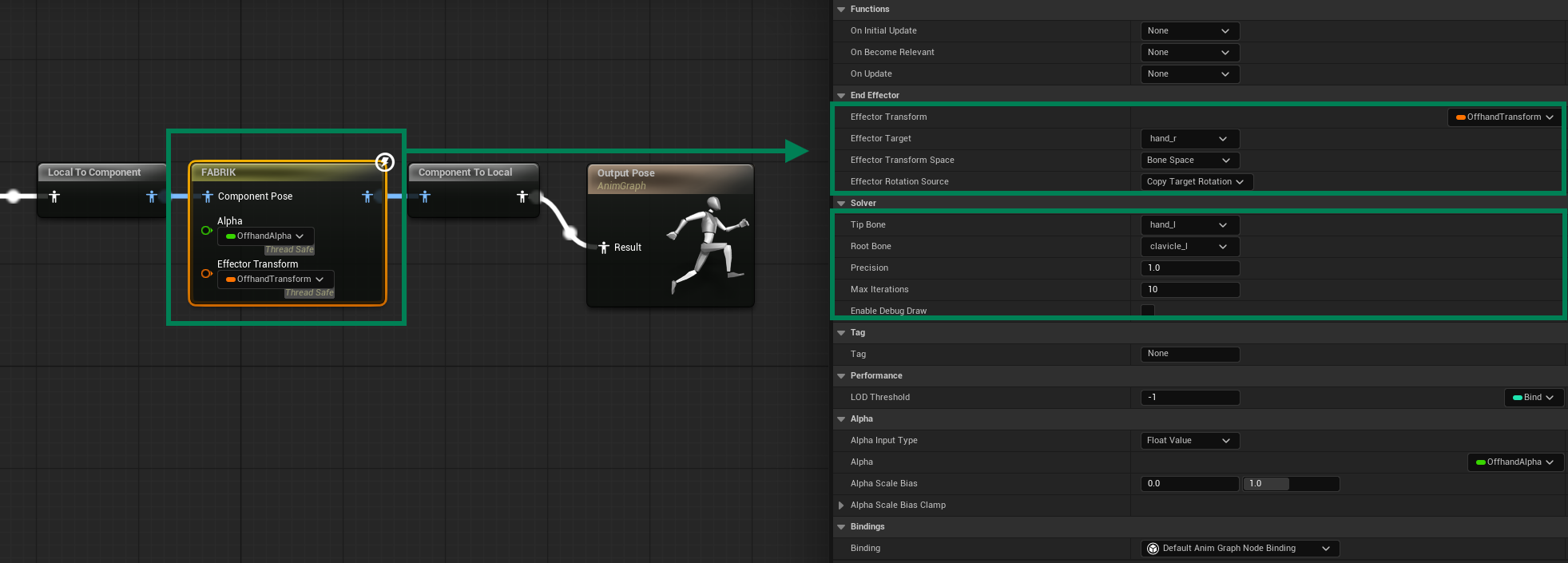
Once the transform values are retrieved, they can be fed directly into your IK setup - for example, a FABRIK node.
In the example below, the offhand transform is passed to the FABRIK effector, and an alpha value is dynamically driven based on whether a valid offhand anchor is currently available. This ensures that the IK chain only activates when the equipped item provides an offhand placement.