Drop Fragment
The Drop fragment allows an item to be placed into the world as a Pickup Actor, using an environment query to determine a suitable drop location.
When dropped, the item is removed from the inventory, and a corresponding Pickup Actor is spawned and initialized with the item data, including its relevant Fragment memories.
This is useful for world interactions, loot drops, or manual player drops.
Fragment Tags
This fragment adds the Inventory.Item.Trait.Droppable tag to an item, which introduces the Droppable trait.
Properties
This fragment has the following properties.
Property | Description |
|---|---|
| Actor class to spawn when the item is dropped. Must implement the |
| Environment Query used to determine where the Pickup Actor will be placed. |
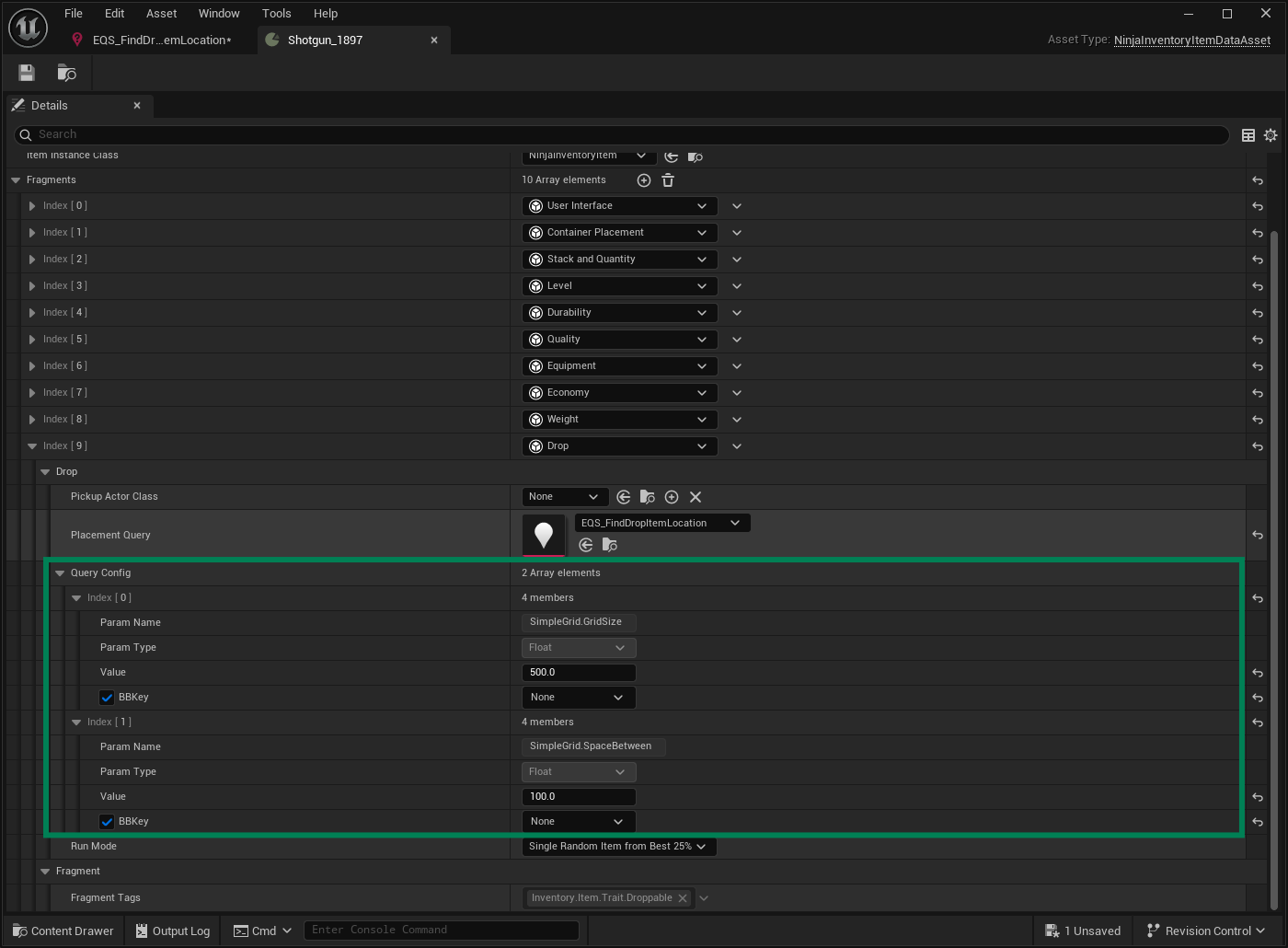
| Parameters passed to the EQS query. Must match any named params in the query. |
| EQS run mode, defining how results are prioritized (e.g., |
The Query Configuration property dynamically matches any parameters exposed by the assigned Placement Query asset. This is useful when multiple items share the same EQS asset but require different settings, such as grid size or spacing, to reflect their physical footprint in the world.
For example, here's an Environment Query that exposes Grid Size as a parameter:
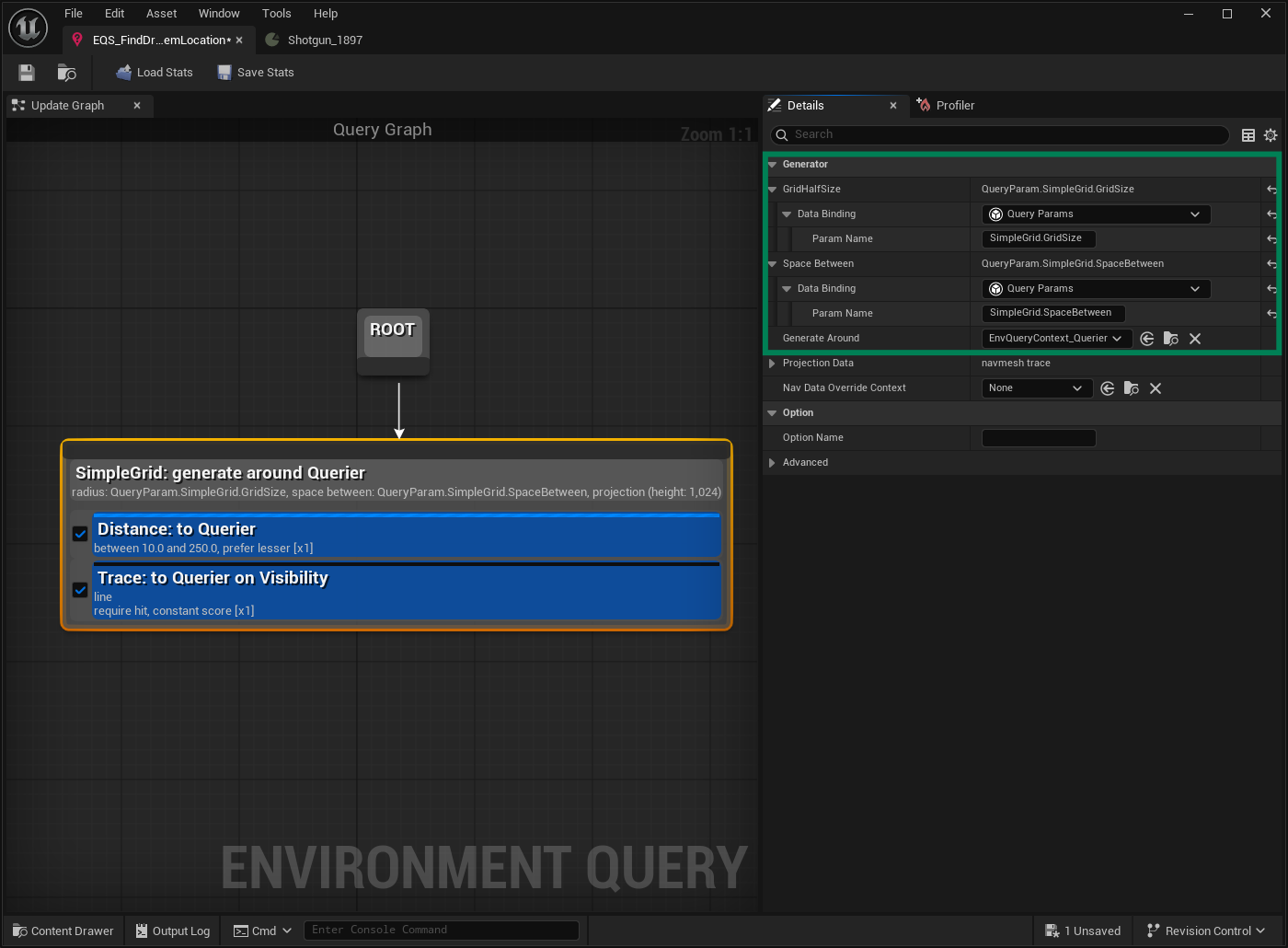
If this asset is assigned to the Drop Fragment, the exposed parameters will appear automatically in the Query Configuration field:
Operations
This fragment exposes the following operation.
Function | Description |
|---|---|
| Spawns the Pickup Actor and removes the item from the inventory. Uses the Environment Query to define a location. |
| Spawns the Pickup Actor at a pre-defined location. |
Memory
This fragment does not use its own memory but selectively includes other fragment memories when creating the Pickup Actor. For example, it excludes container placement memory since pickup placement will be re-evaluated when the item is picked up.
Event Payload
This fragment emits the following event, using InventoryItemDropPayload as the payload structure.
Event | Description |
|---|---|
| Triggered when the item is successfully dropped and the Pickup Actor is spawned. |
Pickup Actor
The Pickup Actor must implement the InventoryPickupInterface, which defines the following methods:
Method | Description |
|---|---|
| Returns the item definitions that this Pickup provides. |
| Sets the item definitions for the Pickup, used when spawning it. |
A single Pickup Actor can provide one or more items. The Inventory System ensures that each pickup always results in at least one item.
The Inventory plugin includes a base implementation: NinjaInventoryPickupActor, which can be used directly or extended. Valid actors can be added to the inventory via AddItemsFromPickupActor.