Asset Manager and Data Assets
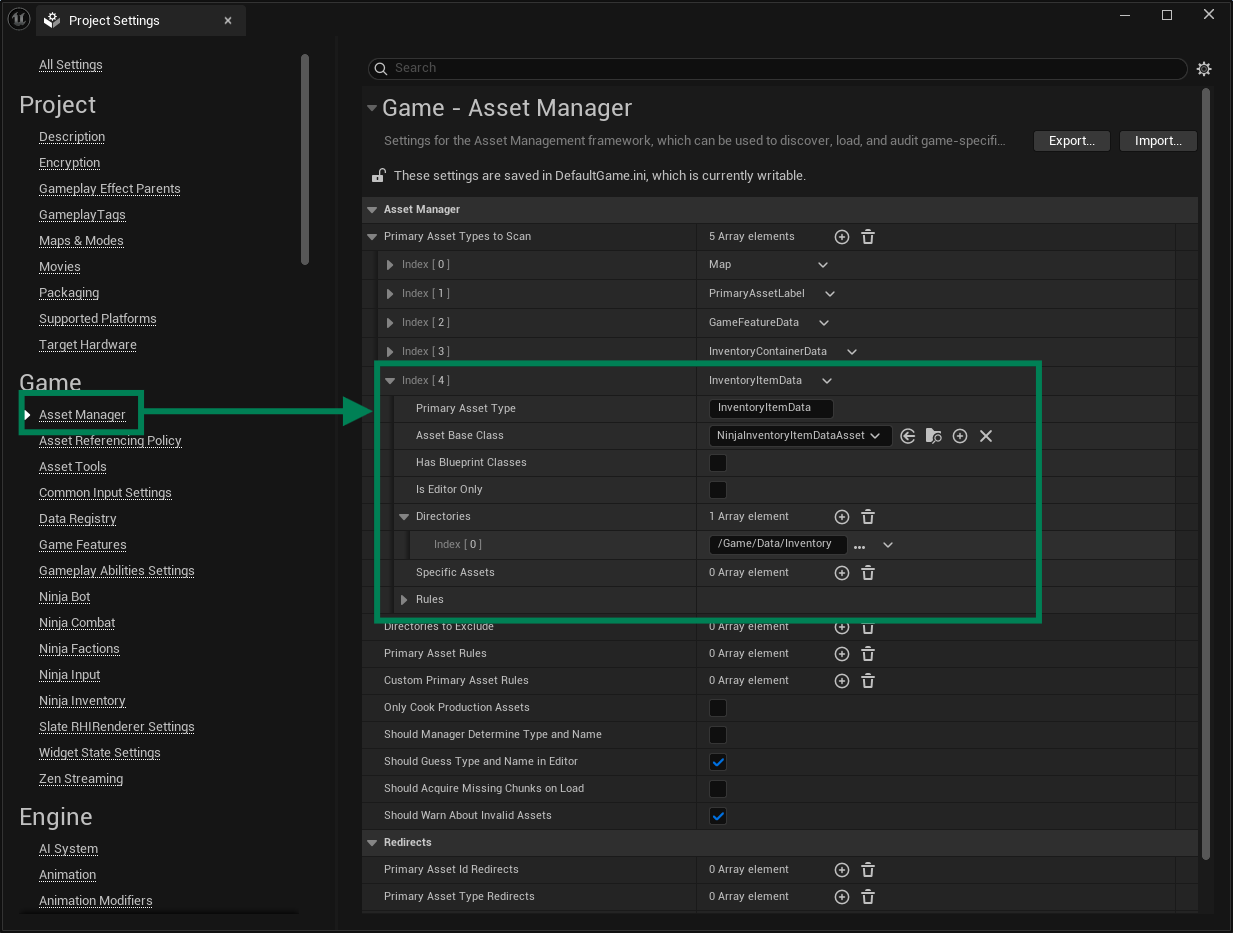
Ninja Inventory provides multiple Primary Data Assets used to represent its data domain. These must be registered with the Asset Manager, so it can load them on demand, whenever necessary.
Container Data Assets
Container Data Assets are the primary representation of a Container, which can be thought of as a region or area of an inventory.
Registering Container Data Assets
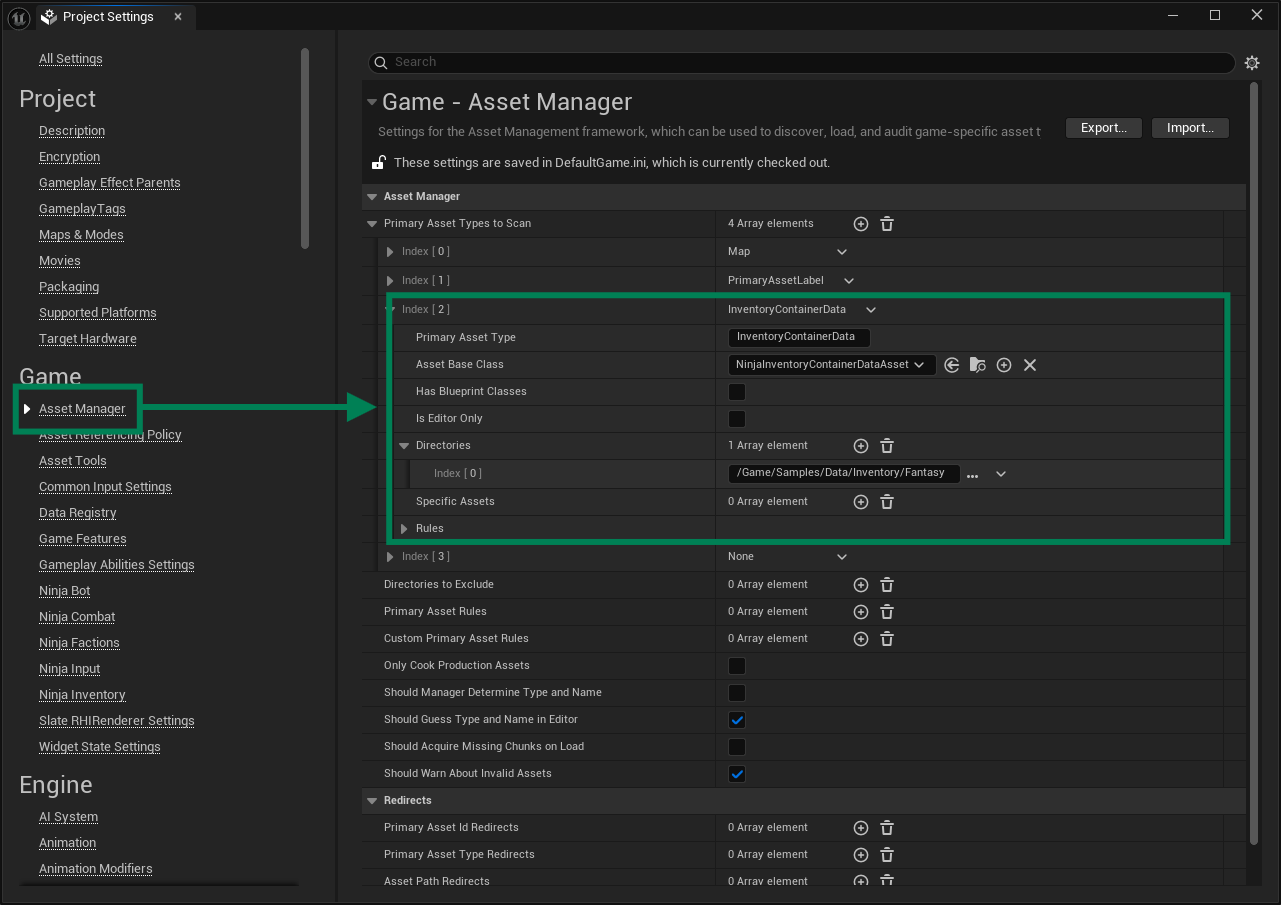
Open the Asset Manager Settings, located in Edit → Project Settings → Asset Manager.
Add a new entry to the Primary Data Asset Type to Scan list.
Set
InventoryContainerDataas the Primary Asset Type.Set
NinjaInventoryContainerDataAssetas the Asset Base Class.Select one or many folders in your project where you will store Container Data Assets.
Item Data Assets
Item Data Assets are the primary representation of an Item, which are defined by aggregation using Fragments and then added to an inventory.
Registering Item Data Assets
Open the Asset Manager Settings, located in Edit → Project Settings → Asset Manager.
Add a new entry to the Primary Data Asset Type to Scan list.
Set
InventoryItemDataas the Primary Asset Type.Set
NinjaInventoryItemDataAssetas the Asset Base Class.Select one or many folders in your project where you will store Item Data Assets.