Handling Hit Reactions
The Hit Reaction Ability supports directional hit reactions and maps specific damage types to appropriate animations.
It is typically triggered via Gameplay Events, so it should be granted by default to all characters.
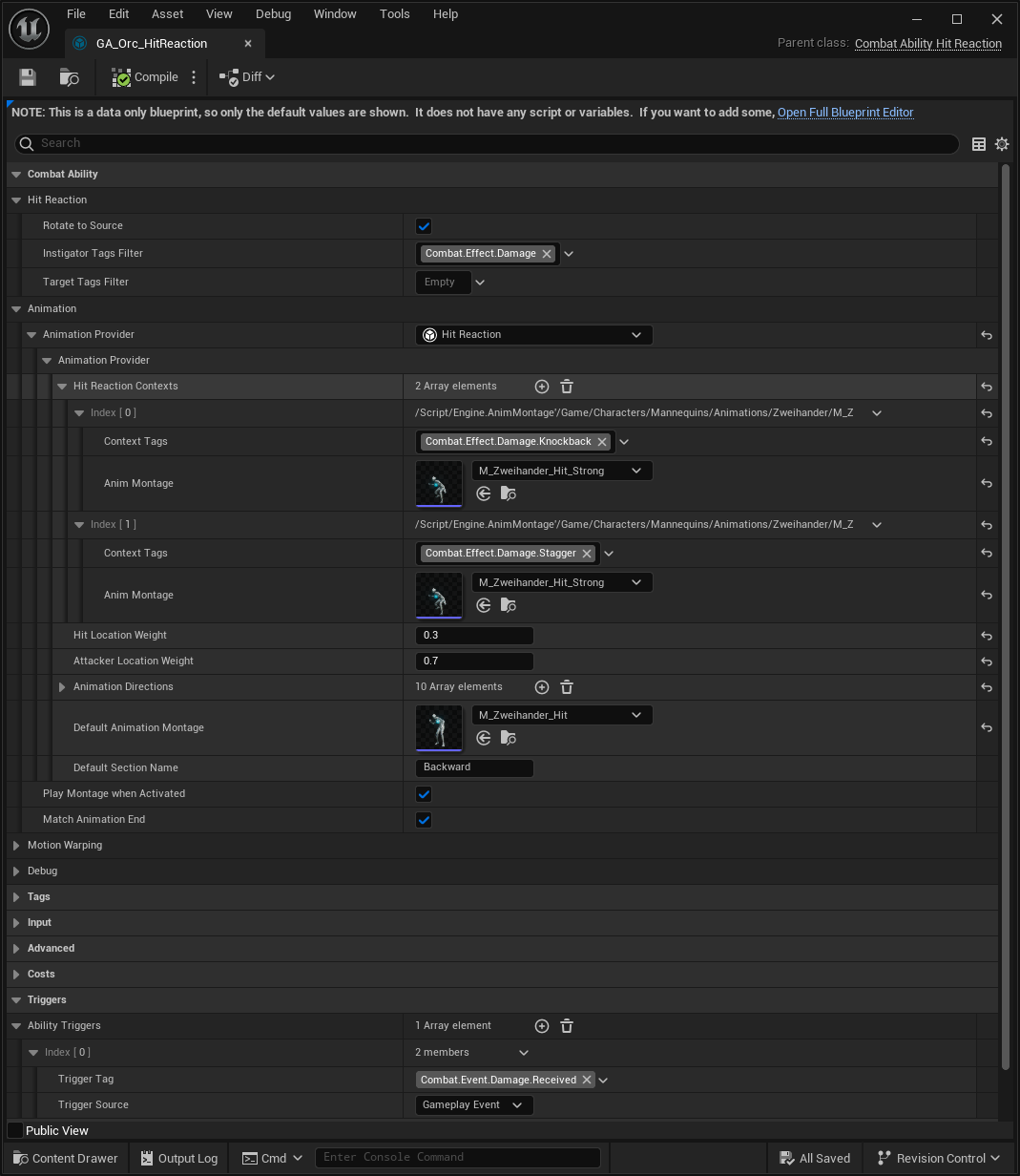
Ability Trigger
By default, the Hit Reaction Ability is triggered by the Combat Manager, specifically from the Damage Manager component.
Incoming hits are evaluated and—unless overridden by another effect such as fatal damage—will trigger the Hit Reaction.
Since it is activated by a Gameplay Event, you can also trigger it from other systems as needed.
Directional Hit Reactions
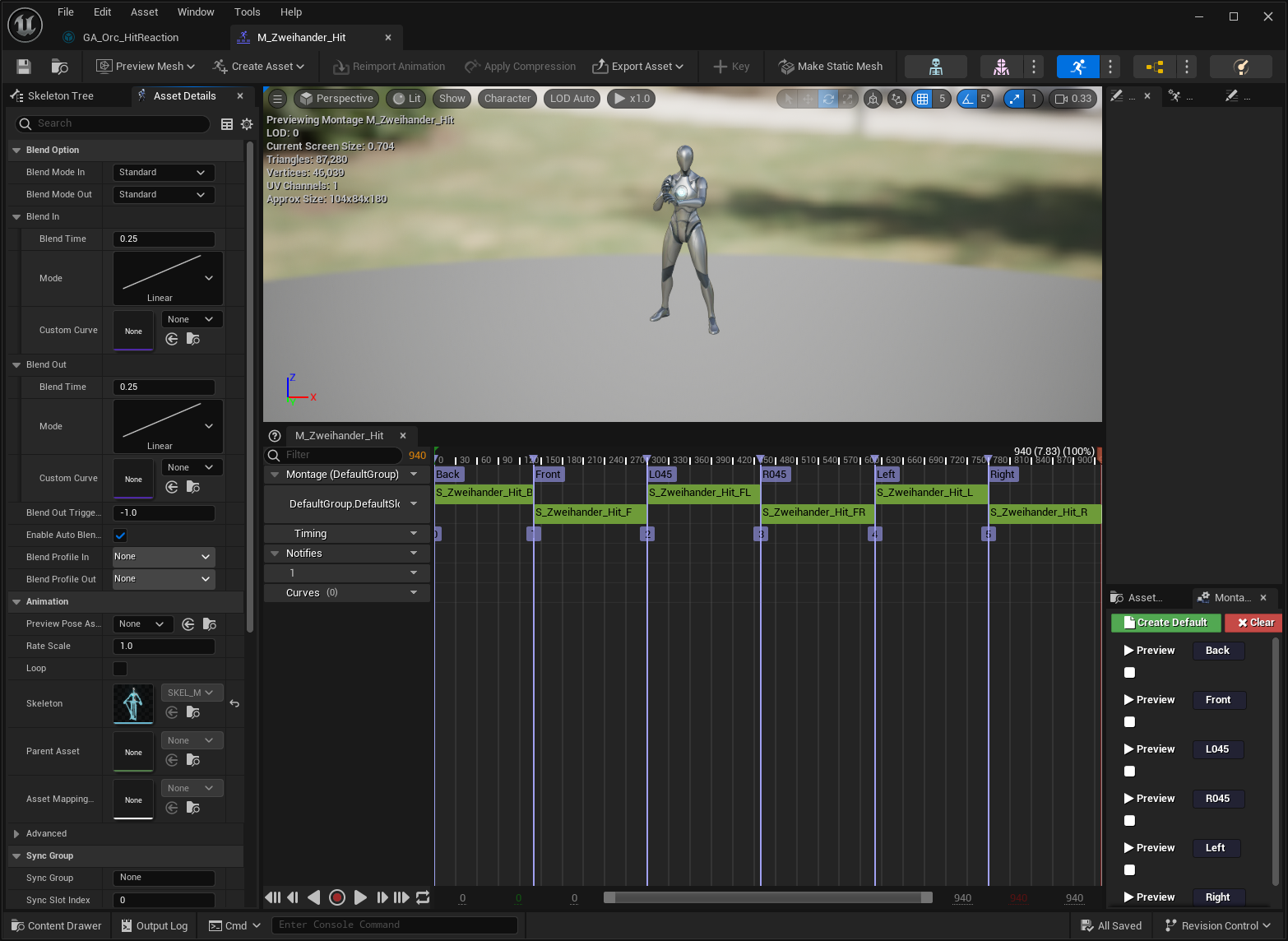
The Hit Reaction Ability uses the Directional Hits Animation Provider, which selects a Montage Section based on the direction of the incoming attack.
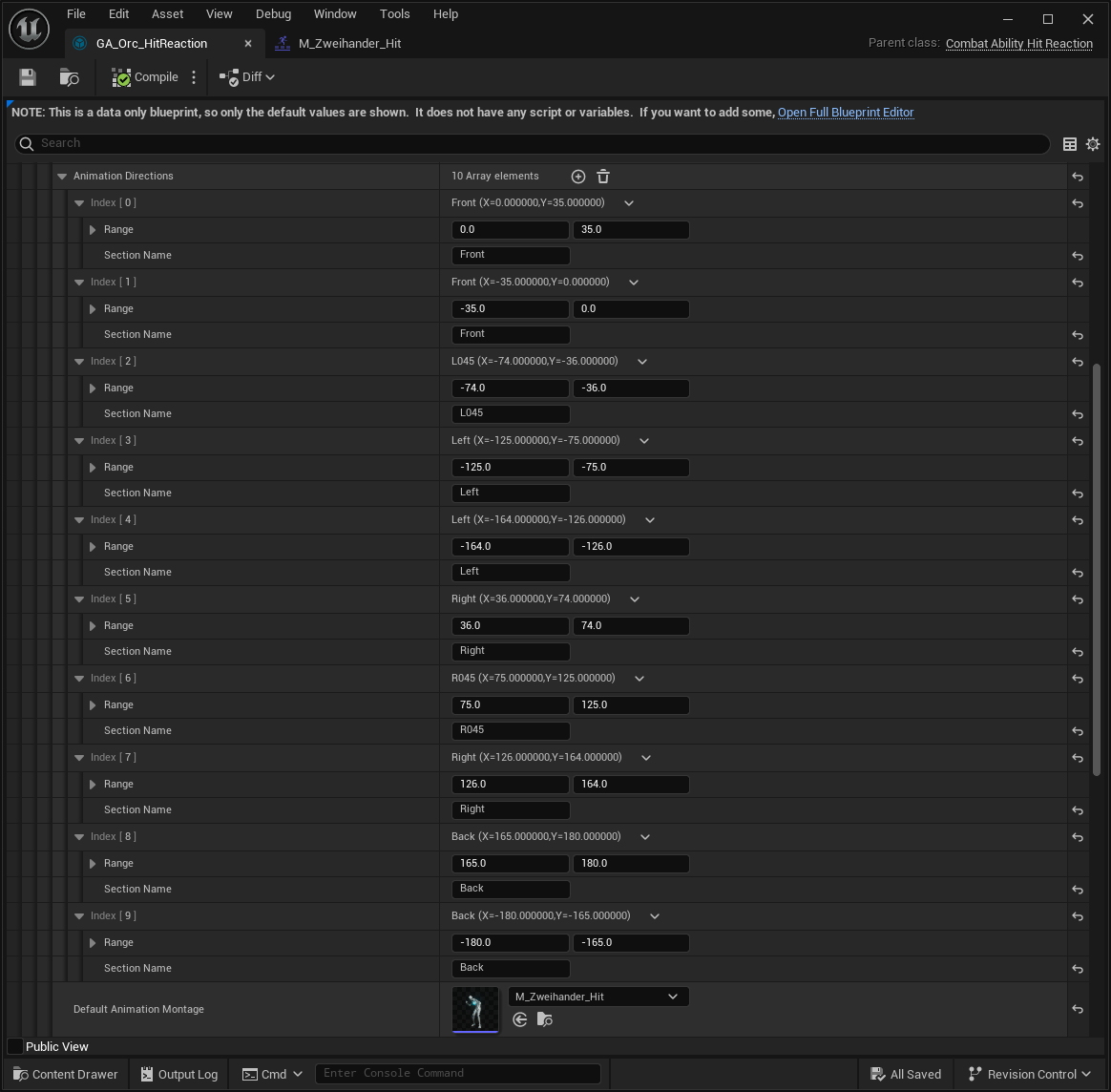
In this setup, the system selects Montage Sections based on the calculated hit angle:
Hit Angle Calculation
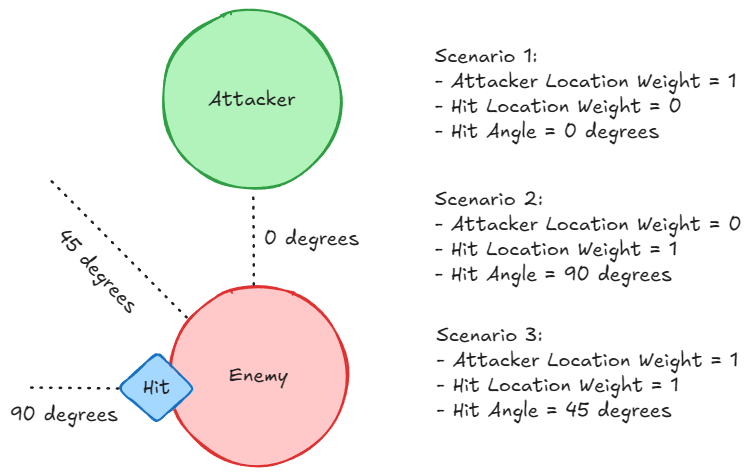
The Directional Hits Animation Provider calculates the hit angle using two sources:
The Hit Result Location
The Attacker Location
You can control their influence using the Hit Location Weight and Attacker Location Weight properties.
This allows you to favor one source, ignore one entirely, or use a blended approach:
Contextual Hit Reactions
The Animation Provider also supports contextual hit reactions—animations selected based on Gameplay Tags found in the incoming damage.
Each context maps a tag or tag container to a specific Animation Montage and still respects the directional logic.

For example, you might assign a different animation to:
Knockback attacks
Stagger hits
Special status-inflicting blows
Gameplay Tag Filtering
Contexts are evaluated using Gameplay Tag Filters, which can inspect tags from both:
The instigator (attacker)
The target (receiver)
These are defined via the Instigator Tags Filter and Target Tags Filter in the Animation Provider.